Download the wherigo here. The listed coordinates take you to a soccer field in blackburn park although you can play the cartridge anywhere in the world. The final is located within 2 miles of the posted coordinates.
Starting the Game
When you arrive, stand in the middle of the soccer field, at the posted coordinates. Make sure you have a good GPS signal. Run the cartridge. In your inventory screen, you will see an item called "Start Game". Select that. From there, you will see a button with the text "Start Game". Click that and you'll see a message the cartridge is building the game. On most Players, you will see the main game screen when it is finished building the cartridge. On others, you will have to dismiss the dialog.
Game Board Size
Technically, the game board's size is a circle with a radius of 125 feet, respective of where you were standing when you told the game to start. I equate this to a soccer field because it's easier to visualize.
Ships
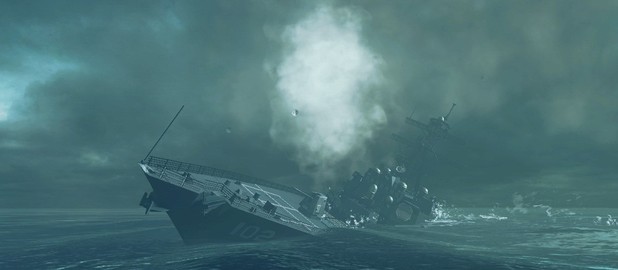
The ships are scattered around the field and hidden from your view. Each ship is composed of a certain number of zones that must all be hit for a ship to be sunk (exactly like the traditional game). Zones in a ship are spaced close to twenty feet from each other. Ships can be oriented in any direction. While the zones are, in fact, in a line, your GPS receiver's estimated position error (EPE) may, at times, make it seem otherwise. I have double-checked my math and operations in the code, so you may have to trust me on this.
Ammunition
You have a set amount of ammunition, also called shells. There are three calibers of shell. The larger the caliber, the wider the damage radius and the fewer you have. A shell's quantity and damage radius are displayed in the game. When you fire a shell at an area, it damages all battleships within its area of effect. Thus, it's possible to sink a destroyer or submarine with one 155mm shell.
Firing a Shell
To fire a shell, stand in the area you wish to hit. Select your inventory screen, then the caliber shell you wish to use. The quantity you have left and that shell's damage area will be shown underneath a picture of that shell. At the bottom of the screen will be a button labeled "Fire!" If you wish to fire at the location you're standing, click the button. The result of this action will then be displayed.
Damaged Ships
When a ship's zone is damaged, that zone will be displayed in your locations screen. Use this information to plan your next attack.
Task List
The list of ships you have left to destroy is shown in your task list, the fourth and bottom section of the main screen. This is just a list; you cannot do anything in that section (this is the nature of the tasks section).