Regular expressions
Regular expressions, regex for short, are text strings used in advanced search, replace and input validation operations. They have a syntax where certain characters are given a special meaning. Searching using regexes means searching for something that matches a pattern rather than something that equals a specific term.
To check if a text contains numbers, we could search for any of the digits from 0 through 9 and risk searching ten times before finding the number 999. Or we can search using regexes for [0-9]+ and determine the existence of numbers in the text in only one operation.
We will explain the syntax now:
As they usually would, each letter matches that same letter, so searching for “ape” using regular expressions is the same as searching for “ape” without, with the possible exception that regexes are by default case sensitive, so they would not match “Ape”. Already here we would need a regex to find all location where we mention regular expressions in this cache page. We can express anything that starts with “regex” or “regular expression” and possibly ends with a plural form “es” or “s” like this: reg(ular expressions?|ex(es)?).
This pattern starts with the letters “reg” which are followed by a choice -- marked by parenthesis and a pipe – between “ular expressions?” and “ex(es)?”. The question mark signifies that the element immediately preceeding it shall be repeated once or not at all. That would be the last “s” in “ular expressions” is optional, and so also the group of letters “es” in “ex(es)”, mening both “ex” and “exes” would match that part of the pattern.
We have three such operators as the question mark: * which means zero or more times, + which means one or more times and ? which means zero or one time. So a* means we allow an infinite number of a’s, a+ means we demand at least one a, but still allow an infinite number of a’s in a sequence, while a? means we allow at most one a. Remember that to demand exactly one a, we simply type “a”. We can specify exactly the number we want: a{3} means a three times, a{2,4} means between 2 and 4 a’s, inclusive, whereas a{2,} means at least two a’s.
We have some special characters, too. Period (.) matches any character, \s matches whitespace (such as space, tabs etc), \S matches non-whitespace, \w word characters (letters, numbers and underscore), \W non-word characters, \d matches digits, \D non-digits. If you need to match a period, seeing this is a special character, you need to escape it using a backslash, like this: \.
Parenthesis mark a so-called capturing group, which can be referenced: \1 means the content that matches the first capturing group, \2 the second and so forth. A pipe means a choice between what is on the left and right-hand side of the pipe. An expression such as (abc*)def\1 will match on texts such as abdefab, abcdefabc, abccdefabcc etc.
There is now only two more things we need to describe before letting you loose on the exercise at hand: The first is character classes. We mark these by square brackets: [A-Z] means any uppercase letter between A and Z. [ABCDF-Z] means any uppercase letter except E, which is missing in the class. [A-Za-z0-9_] means any letter between A and Z, a and z, or any digit between 0 and 9, or underscore. This is exactly the same as \w. We can make negative character classes, too: [^BCD] means any character except B, C or D. We can put predefined character classes in here as well: [\d\D] will match on any character that is either a digit or not a digit.
We finish off with one rather advanced topic: Lookarounds. There are four types of lookarounds, positive and negative, lookaheads and lookbehinds. The point is to restrict the match to cases where something immediately preceding or succeeding satisfies a certain pattern. In short you would use a negative lookahead to match something only if it is not succeeded by something else. A positive you would use to match something only if it is succeeded by something else. In both cases you would specify this something else with another regular expression. Similar for lookbehinds, except the something else will be preceding the potential match.
A negative lookahead would look like this: (?!theater)the\w+ which would match any word that starts with “the” except “theater”.
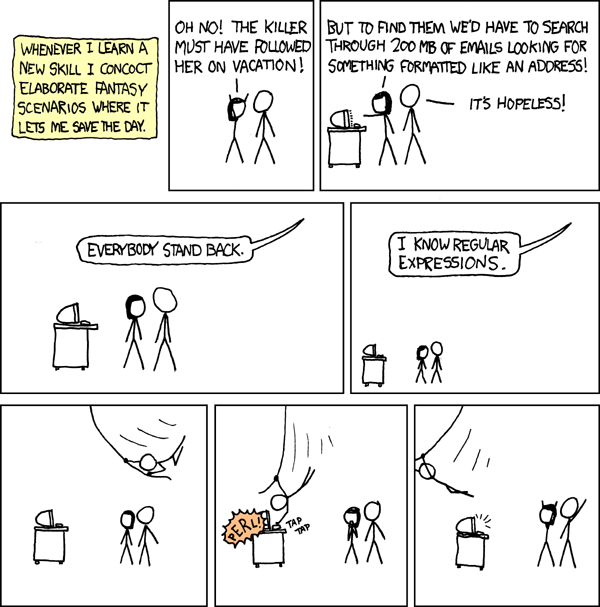
When you master this, you will excel at text search, and might be able to save the day as follows:
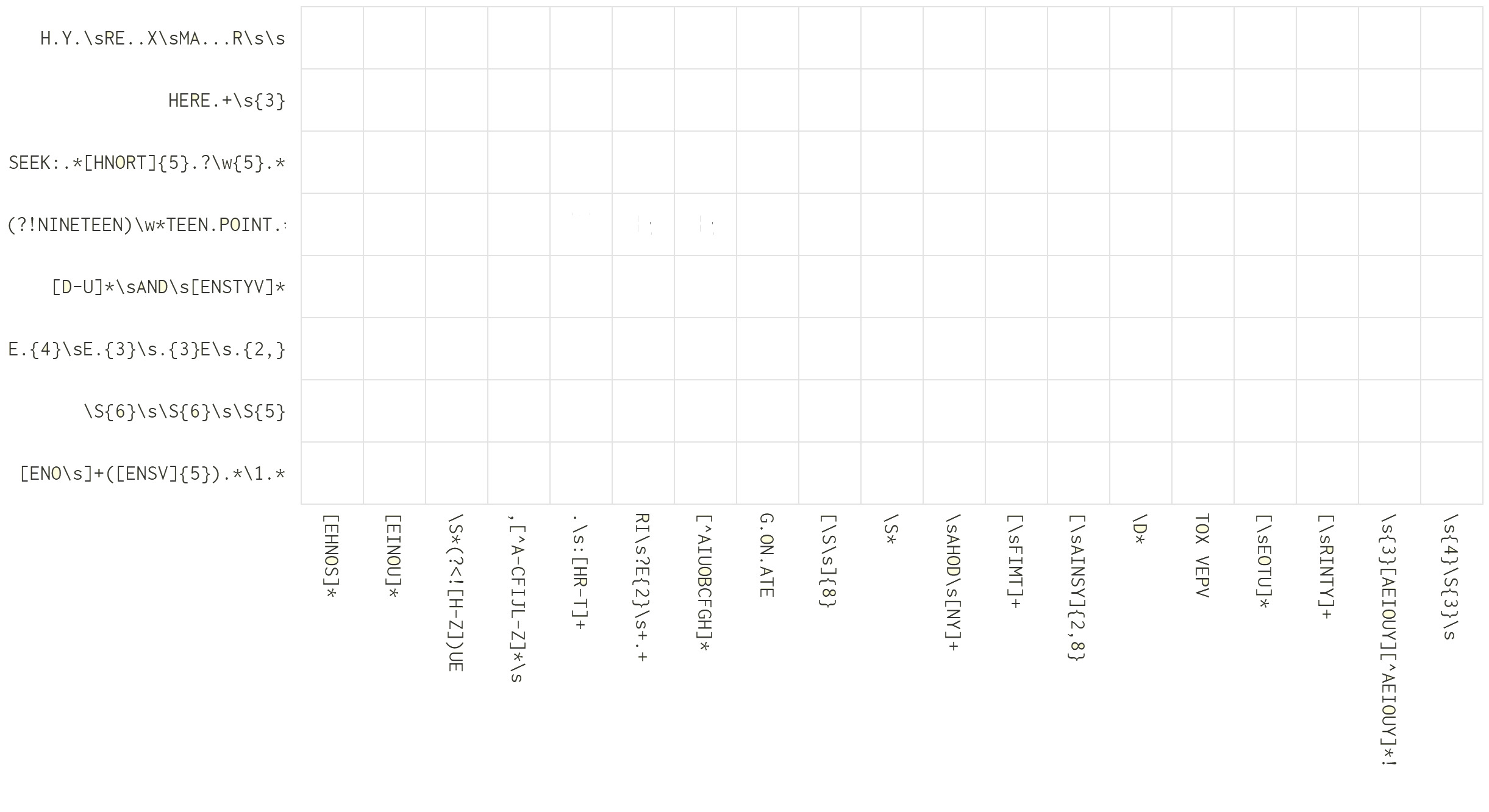
And you may be able to solve the following crossword puzzle where the clues are regular expressions. Whatever contents you put in here, must match those expressions, or else they are wrong. Furthermore you must device some linguistic skills. This puzzle has some 1500 legal solutions, but only one that would make perfect sense in English. Good luck!