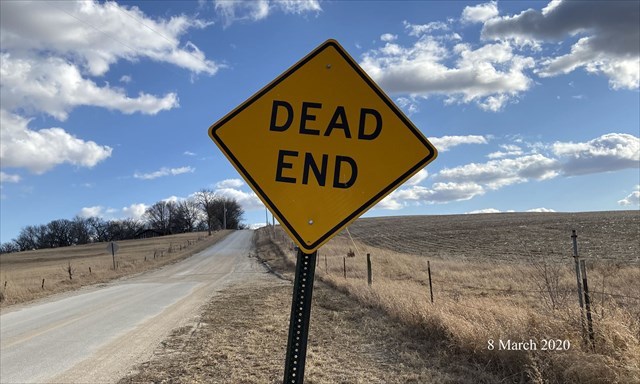
A Dead End Road.
You often see them. Have you ever driven one to see if it really is a Dead End, or is it just a big joke by the Highway Department? Most of the time if you drive past the Dead End sign you will eventually be driving by it again as you are getting back to where you started.
If you haven’t previously done so, when you arrive at the posted coordinates, activate your Wherigo Cartridge and proceed to Zone 1. The cache’s final location will be revealed when you complete Zone 5.
When searching for the cache, be careful of the traffic. The road is not very busy, but when a vehicle does come by, it is going the speed of heat.
This completes a 'Baker's Dozen' of the Dead End caches. Have you found the other twelve?
The following are the procedures for an iPhone: Download the cartridge using the Wherigo App. On the App’s Cartridge page select the box with the arrow in the upper left corner of the screen. Under the options, select Download Cartridge from wherigo.com. Sign in on the search page and then search using the Zip Code 68123. Select ‘Dead End 13 Wherigo’ and on the next page select download. Select which cartridge file you want and select Download Now. A screen will open showing the download percentage progress. Once that process is complete you will get a screen showing Downloaded Cartridge and a Continue button. Touch that and you should be taken back to your Wherigo Cartridge screen with the ‘Dead End 13 Wherigo’. Now you are ready to play the game.
Added 03/13/2020: The following are the procedures for an Android device, courtesy of Monty12. Open the WhereYouGo App. Click on SETTINGS. Click on GLOBAL. Click on WHERIGO Folder (/storage/emulated/0/Download/). Select FOLDER for WHERIGO FILES. Click on SELECT. There are a bunch of folders. Click on folders until you end up with DOWNLOAD in the white box at the top. Click OK. To get the cartridge, download thru the internet on the WHEREIGO website. Do not use the WHEREYOUGO App. When you have selected the cartridge you want, click on DOWNLOAD. There is a section that says download cartridge for: Be sure to click on Garmin Colorado, BUT SELECT POCKET PC DEVICE. Then click on DOWNLOAD NOW. When it is downloaded, go to the App, open it, and click on start. The cartridge you downloaded should be there.
Congratulations to Monty12 for her FTF.

Placed by a Nebraskache Member