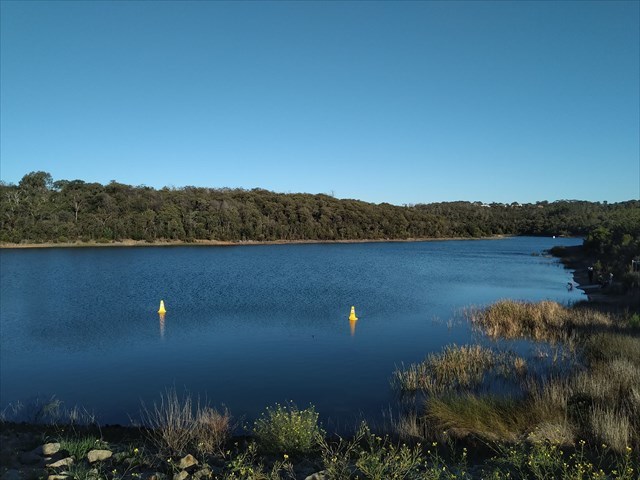
This Whereigo cache will take you on a walk around the Frankston Nature Conservation Reserve. It is a lovely relaxing 90 minute walk around a 3.5km circuit track. Each location that you visit has a 'Nature' theme and a number clue that will guide you to the final geocache.
We have spotted an eagle here once and have been serenaded by many frogs and birds on many of our wanders through this Reserve.
The Frankston Nature Conservation Reserve showcases some unique and protected species of flora and fauna designated as significant at regional, state and national levels. It is home to many indigenous mammals, birds, reptiles, frogs, and fish species. (source https://www.frankston.vic.gov.au/Things_To_Do/Parks_and_Reserves/Frankston_South/Frankston_Nature_Conservation_Reserve
Please abide by the park regulations.
There are NO DOGS allowed in this park (sorry Rex) and you cannot ride a bicycle on some of the 'Wherigo' trails.
This cache requires you to download and play a Wherigo cartridge in order to get the co-ordinates to the cache.
Click / Press HERE to download the cartridge.
(If you are new to Wherigo, there are further hints and tips below.)
Press START when you are standing near the posted co-ordinates.
The cache contains a logbook only. Please bring a pen.
|
Getting Started : Downloading and Playing a Wherigo Cartridge
- Firstly, if you don’t already have a Wherigo Player on your smartphone, you will need to download one from your apps store. WHEREYOUGO is a popular Android player, and WHERIGO is a popular Apple IOS player.
WHEREYOUGO (Android)
- In the Settings section of your app, enter your geocaching login and password.
- Click on the link on the cachepage (ie this page), to download the cartridge, using the Whereyougo app to do this task.
- Click the "DOWNLOAD" button and the cartridge should automatically download to your phone.
- Click the "START" button to start the cartridge. Make sure your sound is turned up on your phone and away you go.
- If you wish to play the cartridge later on, simply open the WHEREYOUGO app, press "Start" and you will be presented with a list of cartridges that you have previously downloaded.
WHERIGO (Apple IOS)
- Click on the link on the cachepage (ie this page), to download the cartridge, using your phone's web browser to complete this task.
- This should take you to the wherigo.com website. You will need to login at the top right of that webpage with your geocaching login and password. (Once logged in, if you select "Remember Me", you won't have to do this step every time you download a cartridge - it is up to you.)
- Click the blue "DOWNLOAD" button for the cartridge.
- Check that "Download cartridge file for POCKET PC DEVICE" is selected (it should be as it is now the default).
- Click the "DOWNLOAD NOW" button. This will download the cartridge to your phone.
- Open the WHERIGO app, and select the cartridge you wish to play. Make sure your sound is turned up on your phone and away you go.
|
*** Congratulations to Brainiac03 for being FTF