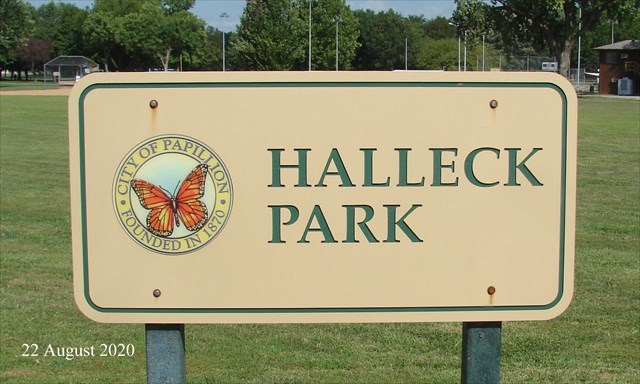
Halleck Park is located just a quarter mile to the east of the intersection of Washington and Lincoln Streets in downtown Papillion. With 70 acres of parkland, the park boasts extensive walking trails, athletic fields, playgrounds, shelters and a large pavilion. The renovated Halleck Park Lake is stocked with fish numerous times during the year and provides a great opportunity for families to enjoy the outdoors together.
This Wherigo will take you on a short walking tour of Halleck Park.
If you haven’t previously done so, when you arrive at the posted coordinates, activate your Wherigo Cartridge and proceed to Zone 1. As you work through the Wherigo's Zones, the cache’s final location will slowly be revealed. The final is located at N41 09.ABC W96 01.DEF.
When searching for the cache, be careful of the traffic. The roads are usually not very busy, but when a vehicle does come by you need to be cautious.
The following are the procedures for an iPhone: Download the cartridge using the Wherigo App. On the App’s Cartridge page select the box with the arrow in the upper left corner of the screen. Under the options, select Download Cartridge from wherigo.com. Sign in on the search page and then search using the Zip Code 68123. Select ‘Halleck Park Wherigo’ and on the next page select download. Select which cartridge file you want and select Download Now. A screen will open showing the download percentage progress. Once that process is complete you will get a screen showing Downloaded Cartridge and a Continue button. Touch that and you should be taken back to your Wherigo Cartridge screen with the ‘Halleck Park Wherigo’. Now you are ready to play the game.
The following are the procedures for an Android device, courtesy of Monty12. Open the WhereYouGo App. Click on SETTINGS. Click on GLOBAL. Click on WHERIGO Folder (/storage/emulated/0/Download/). Select FOLDER for WHERIGO FILES. Click on SELECT. There are a bunch of folders. Click on folders until you end up with DOWNLOAD in the white box at the top. Click OK. To get the cartridge, download thru the internet on the WHEREIGO website. Do not use the WHEREYOUGO App. When you have selected the cartridge you want, click on DOWNLOAD. There is a section that says download cartridge for: Be sure to click on Garmin Colorado, BUT SELECT POCKET PC DEVICE. Then click on DOWNLOAD NOW. When it is downloaded, go to the App, open it, and click on start. The cartridge you downloaded should be there.

Placed by a Nebraskache Member