FAQ: Your New Geocaching Account Settings

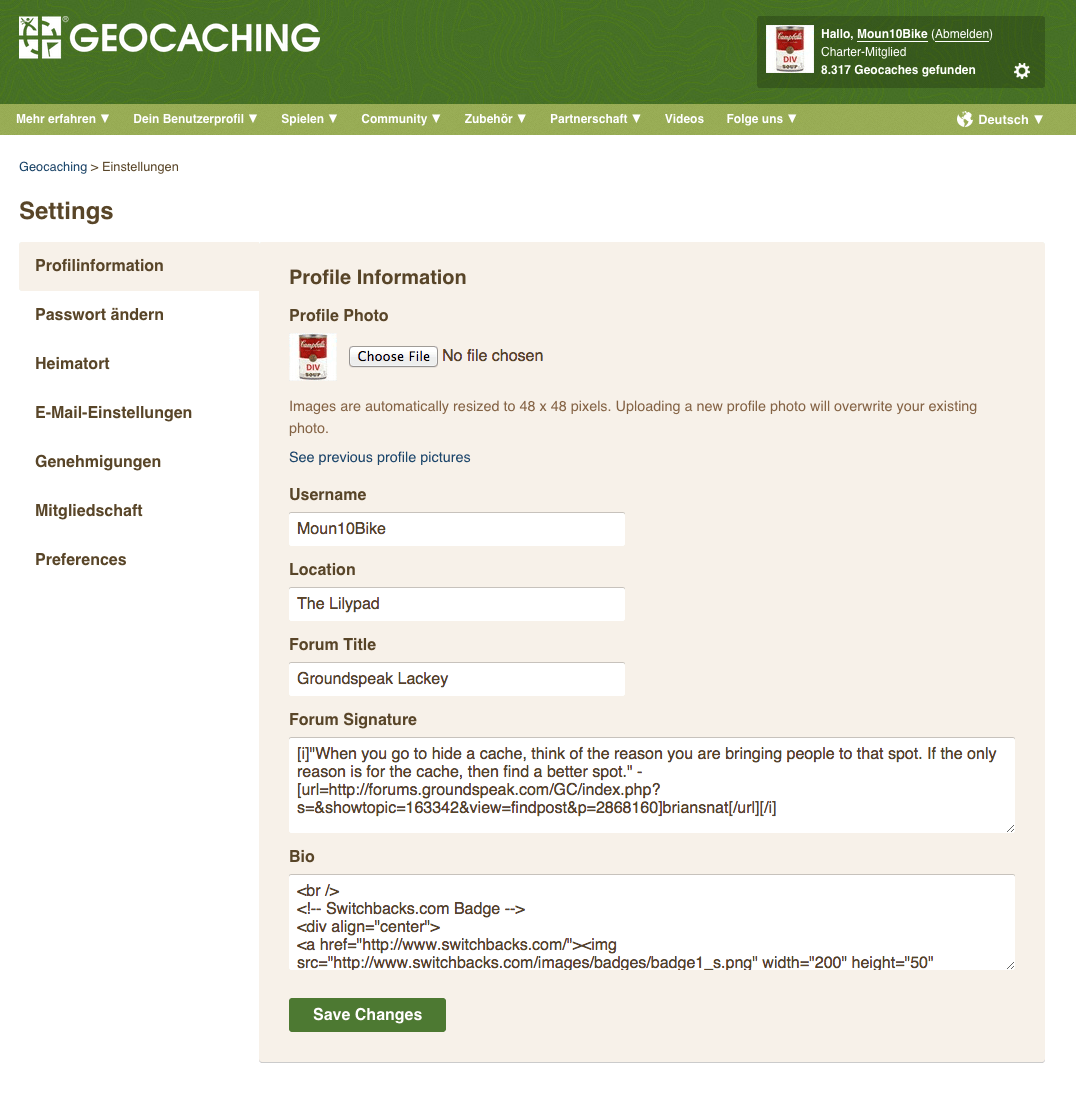
Screen Shot 2014-10-13 at 10.37.40 AMHow do I access my Account Settings?

See that gear icon in the upper right corner? Click it! You will be magically transported to the new and improved Account Settings tabs page.

What happened to my avatar/profile photo?

To make life just a little bit simpler, we’ve combined the Avatar and Profile images into one image (to rule them all, ahem) that will display universally across Geocaching.com. In other words, your current Avatar image will become the one image displayed on Geocaching.com and will be referred to as “Profile Image.” Going forward, we will not store images other than the current Profile image. This means that when you upload a new image as your Profile photo, the previous image will no longer be saved on Geocaching.com.

Where did all my stored Profile/Avatar images go?

Profile/Avatar images stored prior to the Account Settings redesign will be available via the link next to your current Profile image. We suggest that you download these images from Geocaching.com as we may discontinue storing them in the future.

How can I display larger images on my Profile now that the Profile image only supports smaller sizes?

You can add larger images to your Bio box, located under the Profile Information tab. You will need to use HTML and use <img> tags. Example: <img src=”[Insert image URL]”>

Where should information like my name, address, and occupation go, now that it’s removed from the new Account Settings page?

To make Account Settings as easy to use as possible, we’re going for simplicity. You are still welcome to display your name, address, occupation, and whatever else you like on your Profile (as long as it’s appropriate of course!). You can do so in the Bio box.

Where can I customize my Geocaching.com experience to my location and language?

Under the Preferences tab, you can select your preferred language, time zone, and distance units. We’ve added many more time zones and date format options so you can localize your geocaching experience wherever you are in the world. Note: We removed the Daylight Savings Time checkbox, as the time zones now automatically account for this.

How can I edit my publicly displayed statistics?

Great question. You will now be able to edit statistics as they appear on your Public Profile directly from http://www.geocaching.com/my/statistics.aspx.

What happened to List Newest in [state]?

Our Account Settings page no longer supports this feature. We are working hard to improve other features on the website that will be able to serve up this information more efficiently. In the meantime, you can go to the Advanced Search page, select “By Country/Province”, and then select the country and province of interest to you. You can bookmark the results to have easy access to the same search. Link to Advanced Search: http://www.geocaching.com/seek/nearest.aspx

Why can’t I see my GPS listed anymore?

We have not updated the “Your GPS” section for quite some time. If you would like to see reviews about a GPS or smartphone, there are many other websites out there that specialize in providing this content.

How do I add friends on Geocaching.com?

You will still be able to add/remove/view friends from the “View Your Friends” link on http://www.geocaching.com/my/default.aspx and “Your Friends” located under “Quick View”

Can I update my Account information from my mobile device?

Shucks, we’re glad you asked. And the answer is: YES! The Account Settings tabs page was designed to look great in a mobile browser.

I don’t want to see other players’ profile images in geocache logs. How do I turn them off?

Under the Preferences tab, you will need to uncheck the box “Show other geocachers’ profile images in logs.”

Other noteworthy changes:

  • Basic members can now change their Forum title
  • Removed Online Presence and Instant Messenger
  • Removed Forum Signature and Profile previews
  • Removed ability to toggle off Recently Viewed Caches
View in German.


Deine neuen Kontoeinstellungen: Häufig gestellte Fragen.

Screen Shot 2014-10-13 at 10.40.29 AMWie finde ich meine Kontoeinstellungen?

Siehst Du das Zahnrad oben rechts in der Ecke? Wenn Du darauf klickst, kommst Du schnell und einfach zu den neuen Kontoeinstellungen.

Was ist mit meinem Avatar/Profilfoto passiert?

Um alles ein bisschen einfacher zu gestalten, haben wir die zwei verschiedenen Geocaching-Bilder (Avatar- und Profilfoto) auf ein Foto reduziert. Das jetzige Avatarfoto ist von nun an das einzige Profilfoto, das allgemein auf Deinem Geocaching.com-Konto benutzt wird. In Zukunft werden zuvor hochgeladene Fotos nicht mehr gespeichert. Das heißt, wenn Du ein neues Foto als Profilfoto speicherst, wird das alte Foto nicht gespeichert.

Wo sind meine zuvor gespeicherten Avatar/Profilfotos jetzt?

Avatar/Profilfotos, die vor der Neugestaltung gespeichert wurden, kann man jetzt über den Link unter dem aktuellen Profilfoto finden. Wir raten Dir, dass du diese Avatar/Profilfotos von Geocaching.com herunterlädst, da wir sie in Zukunft möglicherweise nicht mehr speichern werden.

Wie kann ich größere Fotos auf meinem Benutzerkonto zeigen, wenn das Profilbild nur kleine Fotos akzeptiert?

Du kannst größere Fotos in Deine Profil-Beschreibung einfügen. Deine Profil-Beschreibung findest du unter dem Profilinformation-Reiter. Verwende hier zum Einfügen der Fotos folgende HTML <img> Tags benutzen müssen, zum Beispiel: <img src=”[Bild URL einfügen]”>!

Wo sind Profildaten wie Name, Addresse, und Beruf gelistet, wenn nicht in den neuen Kontoeinstellungen?

Wir haben die neuen Kontoeinstellungen einfacher gestaltet und diese Profildaten sind nicht mehr enthalten. Wer mag, kann die Daten aber weiterhin in der Profil-Beschreibung angeben.

Wo kann ich meine Sprache oder meinen Heimatort auf Geocaching.com einstellen?

Unter Einstellungen kannst Du Deine bevorzugte Sprache, Zeitzone, und Einheiten wählen. Wir haben weitere Zeitzonen und Datumsformate hinzugefügt, damit Du Dein Geocaching-Erlebnis überall auf der Welt anpassen kannst.

Wie kann ich meine öffentlich angezeigte Statistik bearbeiten?

Die Statistik kann direkt vom öffentlichen Profil aus unter http://www.geocaching.com/my/statistics.aspx bearbeitet werden.

Was ist mit “Neuste in [Land] anzeigen” passiert?

Diese Feature gibt es nicht mehr auf der Kontoeinstellungen Seite. Wir sind dabei andere Funktionalitäten auf dieser Webseite zu entwickeln, damit wir diese Information einfacher anbieten können. Bis dahin kannst Du die “Erweiterte Suche” verwenden. Wähle den Geocache-Typ, “Staat/Land” und dann das Land und Staat/Bundesland/Kanton/Provinz, die Dich interessieren. Du kannst diese Suche als Lesezeichen speichern, um das nächste mal schneller an die Resultate zu gelangen. Link zur Erweiterten Suche: http://www.geocaching.com/seek/nearest.aspx

Wieso ist “Mein GPS-Gerät” nicht mehr gelistet?

Wir haben die GPS-Information seit längerer Zeit nicht mehr aktualisiert. Besprechungen für GPS-Geräte oder Smartphones kannst Du auf vielen anderen Webseiten finden.

Wie kann ich Freunde auf Geocaching.com hinzufügen?

Unter “Deine Freundliste anzeigen” auf http://www.geocaching.com/my/default.aspx und “Deine Freundliste” unter Überblick kannst du Freunde hinzufügen, entfernen oder anschauen.

Kann ich meine Kontoeinstellungen von einem Mobilgerät aus aktualisieren?

Gute Frage! Die neuen Kontoeinstellungen wurden so entwickelt, dass sie auch in mobilen Browsern gut funktionieren.

Ich möchte die Profilfotos von anderen Geocachern nicht in den Logs sehen. Wie kann ich diese Funktion abstellen?

Unter Einstellungen kannst Du die Funktion “Show other geocachers’ profile images in logs”, deaktivieren.

Andere nennenswerte Änderungen:

  • Basis-Mitglieder können jetzt ihren Forum-Titel bearbeiten.
  • “Online Presence” und “Instant Messenger” wurden entfernt.
  • “Forum Signature” und “Profile Previews” wurden entfernt.
  • Man kann “Recently Viewed Caches” nicht mehr ausschalten.

View in English.


Geocachers are the nicest people: My trip to the 12th Annual GCHR Picnic Mega-Event

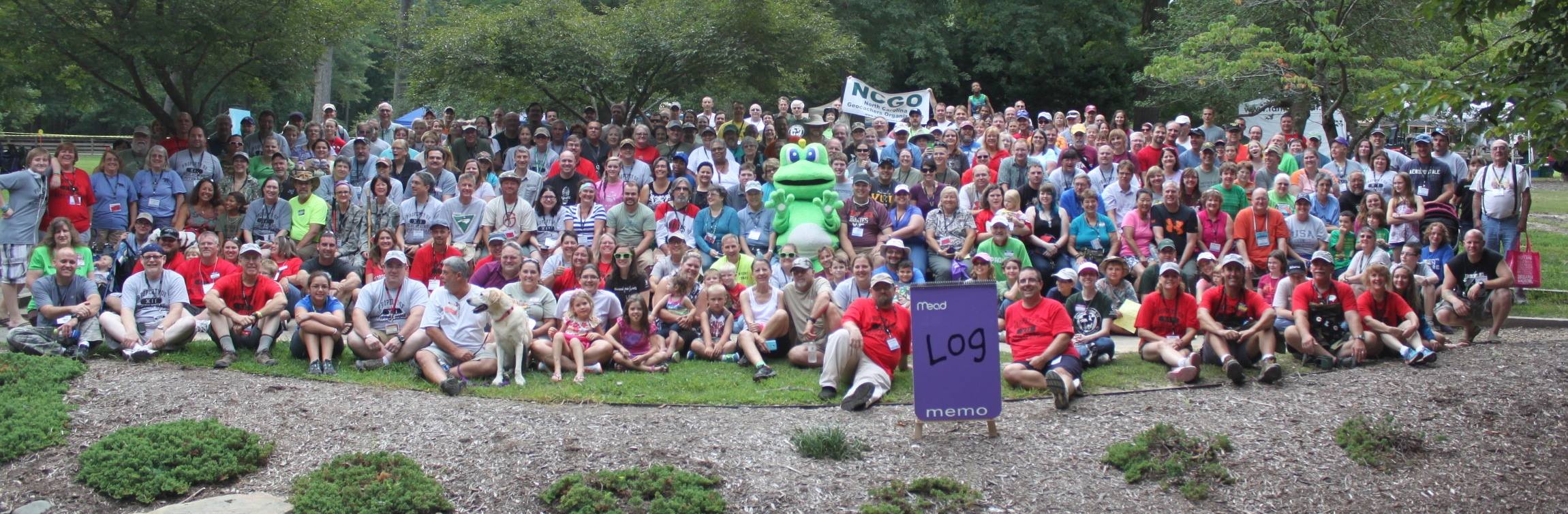
GroupPhoto
Can you spot the Geocaching HQ’er? (Hint: Look for the green sunglasses.)

Editor’s note: Geocaching HQ staff are  attending dozens of Mega-Events around the world, shaking hands, sharing stories of adventure, and of course, geocaching. Each person at Geocaching HQ brings their own unique talent to advancing the adventure. Some write code for the website, others design images for the apps, and some shoot videos explaining it all. Paige Edmiston is a Communications Specialist for Geocaching HQ. She recently traveled to Hampton Roads, Virginia to attend the 12th Annual GCHR Picnic Mega-Event. Here’s her story.

I was the lucky Geocaching HQ staff member who attended the 12th Annual GCHR Picnic Mega-Event in Hampton Roads, Virginia. The event takes place at the crossroads of nature and early American history, where the best of both are highlighted through unique geocaching experiences. But that’s not what makes this event so special. This event is special because it has an extraordinary power to bring people together into community.

At my first Geocaching Block Party, a geocacher gave me a pin that read “Geocachers are the nicest people.” I thought it was cute, so I’ve held onto it all these years. But now, for the first time, I think I fully understand the truth behind that statement. It only took 2400 miles, hundreds of geocachers, and a dance with Signal the Frog (more on that later) for me to finally “get it”.

Geocachers really, truly are the nicest people you’ll ever meet.

What I learned from the 12th Annual GCHR Picnic Mega-Event:

NewGeocachingFriends
My geocaching chauffeurs.

You can show up knowing no one and leave with friends for life. In what world can you go to a party without knowing a single soul and immediately feel like part of the family? The geocaching world, that’s where. Heck, the geocachers at the 12th Annual GCHR Picnic made me feel welcome even before the event started. A lovely group of geocachers who had driven from Pennsylvania to Virginia for the event waited at the airport to greet me. Showing up at the farewell breakfast the morning after the big event felt like catching up with old friends.

Geocachers are always prepared — and happy to share. Virginia has a few wonderful things Seattle doesn’t, and a few not-so-wonderful things: namely, chiggers and ticks. Luckily, a geocacher at the event had come prepared with enough bug spray to share with an unprepared Geocaching HQ’er. In addition to bug spray, the delightful event organizer Penguincacher equipped me with a yellow, trackable Jeep so that I could drive around in style. And yes, this Jeep was inspired by the Jeep Travel Bugs!

Love is in the details. Sometimes, it’s the small things that reveal how kind, caring and, well, detail-oriented the people you meet along the geocaching trail can be. Just a few examples from Hampton Roads:

A larger-than-life log book.

LogBook2
The brains behind the log book. Think there’s enough room to sign your name?

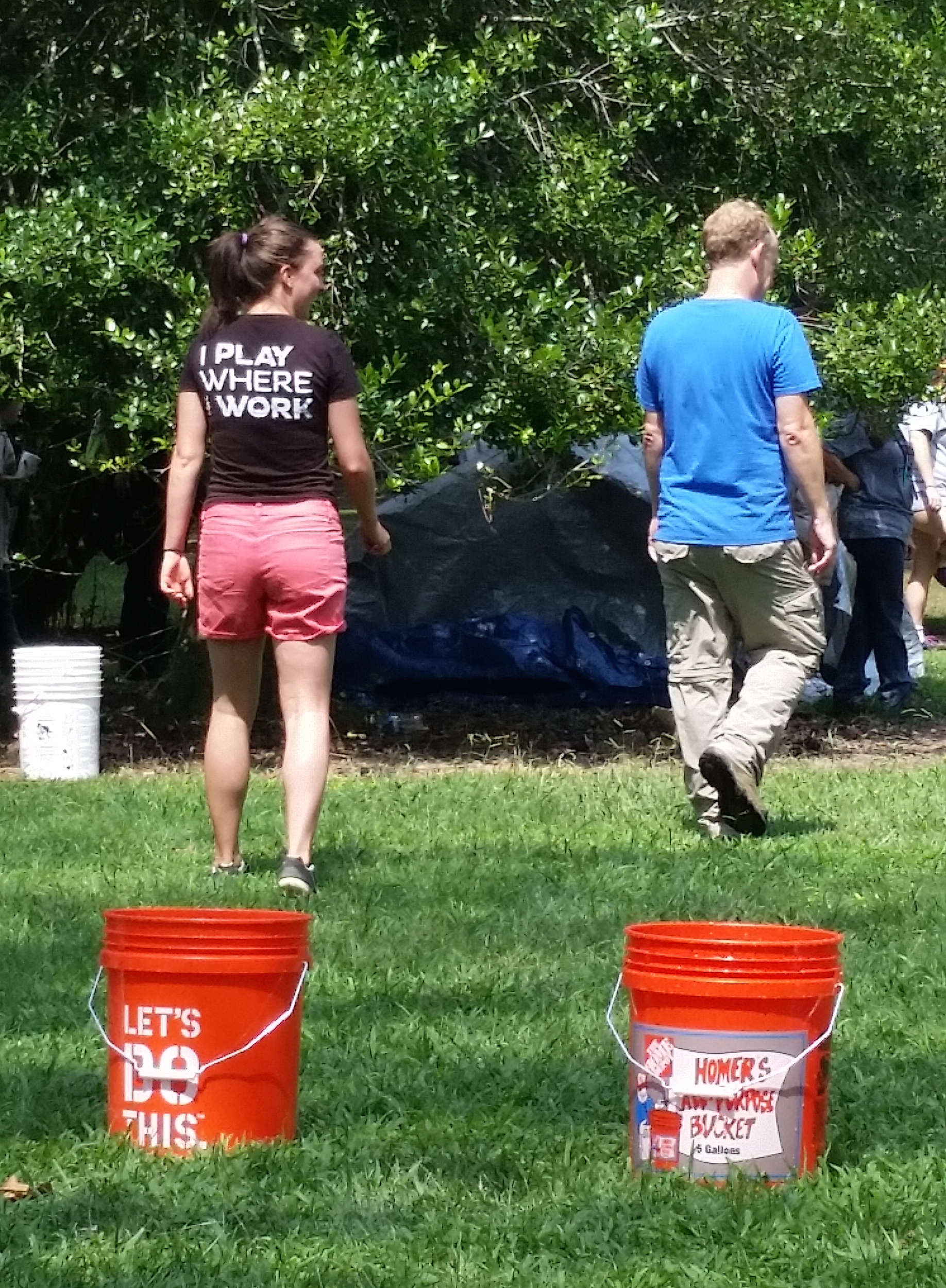
A contest filled with creative challenges designed to reveal the true “GeoSurvivors.” I’m happy to report my partner Maingray and I took second place. I think that means we would survive a Zombie Apocalypse. Maybe.

GeoSurvivor
The epic slow walk of GeoSurvivor (second place) champions. Photo by steve-n-kim.

A special Lab Cache created to make me feel welcome.

Lackey, VA
Note: Lackey, Virginia. Photo by Monkeybrad.

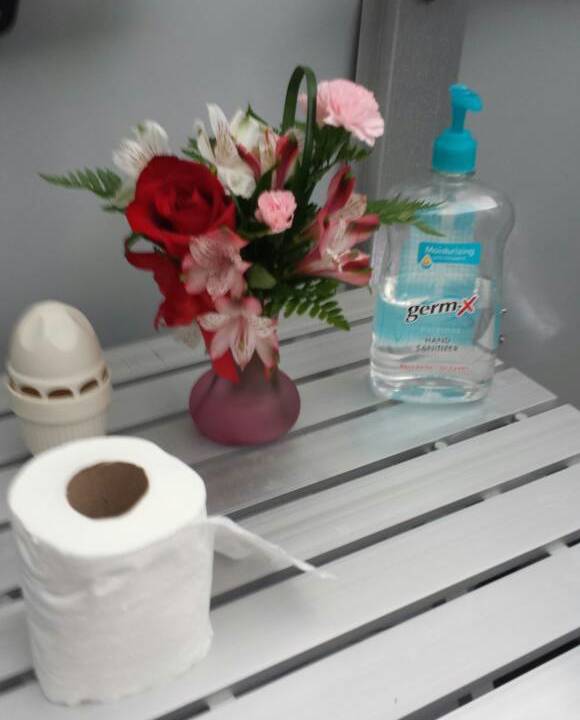
And, of course, no portable toilet would be complete without a bouquet of flowers.

PortaPotty
An extra dose of geocaching love.

And finally, being quirky is awesome. Geocaching is about exploration, adventure, and discovery, but it’s also about being a part of a community that challenges you to step outside your comfort zone and, at the same time, appreciates you just for being you. I never dreamed I would ever be in a position where I had the opportunity — and the support — to show the world my love of goofy dancing by tangoing with a giant Signal the Frog. Then again, I should have known: geocaching is always full of surprises.

1st Day, 1st Achievers: Geocaching HQ Staff Give #7SofA a Go on Day 1

By Heather Feather

Cool shades
Heather Feather puts her 7SofA game face on.

Editor’s Note: Heather Murdoch (Username: Heather Feather) is a member of the Community Volunteer Support team at Geocaching HQ and (perhaps more importantly for the month of August) a member of The Explorer team for an internal HQ competition. Heather and her teammates,  Founder Jeremy Irish (Username: Jeremy), Community Manager Sara Baarda (Username: Sara B), Community Volunteer Support Team Manager Cindy Potter (Username: Frau Potter), and Engineering Intern Virangi Shah (Username: virangishah) attempted to earn Achiever status on August 1st. This is their (obviously, epic) story.

Friday, August 1st was a whirlwind of a day! The 7 Souvenirs of August had finally been unleashed, sending geocachers out into the world with one mission: GET SOUVENIRS!!!

It was no different for Geocaching HQ. Geocaching HQ staff had been divided into 6 teams: The Puzzlers, The Sightseers, The Nature Lovers, The Socializers, The Collectors, and last but not least (my team) The Explorers. Together, we were faced with a challenge: the team (and all its members) to earn all 7 souvenirs first, wins. Wins what? Well we don’t know yet, but the competitive creature in me only heard WIN.

Thus, the race was on! Several Explorers wasted no time, piled in a van, and jetted out on the ferry (yes, the ferry!) from Seattle, WA to Bremerton (across Puget Sound from Seattle). Founder Jeremy Irish taught us how to play a deceptively “easy” and hilarious card game involving a princess, love letters, and her royal court. This was critically helpful for our team building, but no souvenirs were earned yet.

But that was about to change.

Stop #1: The Puzzler

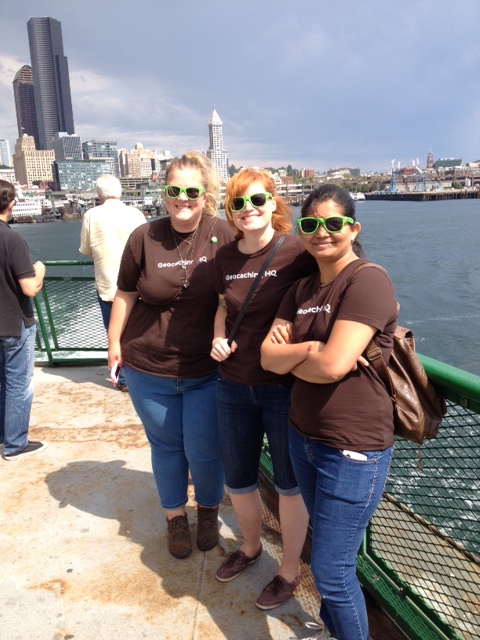
Ferry ride!
The ferry ride over! Sweet shades!

Silverdale, to see about a Mystery Cache. Ground zero was located in a cute, little library. Quick calculations earned us The Puzzler in no time.

Stop #2: The Explorer

Across the street to “the dark side.” But really, it was a Darth Vader-themed geocache. Along with a few fellow geocachers also on the 7SofA hunt, we oohed, we ahhed, we used the force and earned The Explorer!

Stop #3: The Nature Lover

Next, we delved into the wondrous and dusty epochs of glacial erratics. A refreshing trail jaunt and gettin’ schooled on a few geo-educational nuggets earned us The Nature Lover.

Stop #4: The Collector

Our fourth stop took us right by a beautiful lily pad-filled lake. Rather appropriate, no? We were tempted to go for a quick swim, but stayed the course and earned The Collector with a Letterbox Cache instead.

Stop #5: The Sightseer

With over half of the souvenirs under our belts, the end was in sight! Where else to go next than a cemetery? At a nearby quaint and quiet neighborhood plot, we upgraded the decaying cache with some new digs and earned The Sightseer. At this point we were getting a little delirious, and thought it was a good idea to put on lots of sunglasses for a photoshoot. Maybe it was all the over-ripe blackberries we ate…either way it was a real good time!

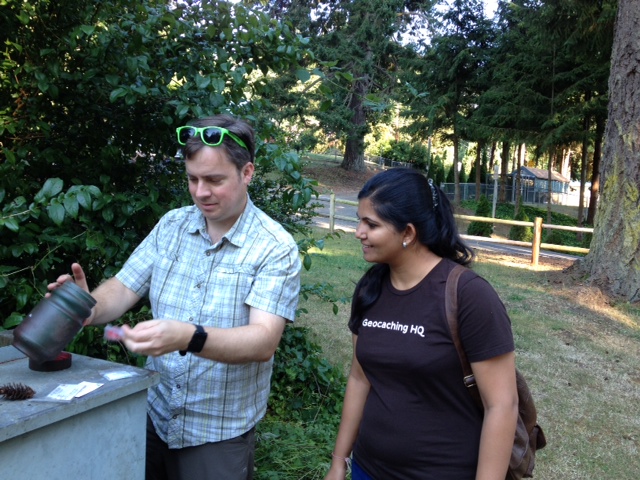
Jeremy finds the cache
Geocaching.com Founder Jeremy and Engineering InternVirangi investigate the geocache.

Stop #6: The Socializer

Earning The Socializer was a treat. We attended a nearby Event Cache to swap stories from the day with fellow geocachers, crossed our fingers for the raffle prizes, and had a bite to eat. It was great to put some faces to names that we had seen in the logbooks that day.

7SofA Mission Accomplished!

With all six souvenirs logged, the Achiever was unlocked – for the win! Mission accomplished! Of course, we couldn’t help being over-achievers and logging a few more geocaches on our route back home. Over nine hours of fun and adventure – what a way to kick off August!

Editor’s Note: Shortly following this excursion, the remaining members of The Explorer team also unlocked all 7 Souvenirs of August, making them the first Geocaching HQ team to claim Achiever status. Heather Feather is *trying* not to gloat, but it’s true – they are the winners!