
Make it YOUR Profile and Dashboard
It’s been a little over a month since we released the first versions of the new Profile and Dashboard on Geocaching.com. We shared the reason we were making changes with you and that we want to do things differently.
Instead of releasing big changes every few months we want to be agile and update features quickly to get them ready for you to play with. We listen to your feedback so we can tweak and adjust pages until they are just right.
Based on your response, we know that you want your Profile and Dashboard to be more customizable. With our latest releases we’ve done just that.
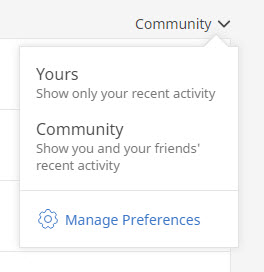
Filter recent logs. You can now choose if you want to show only your activity, or your and your friends’ recent activity on the Dashboard.
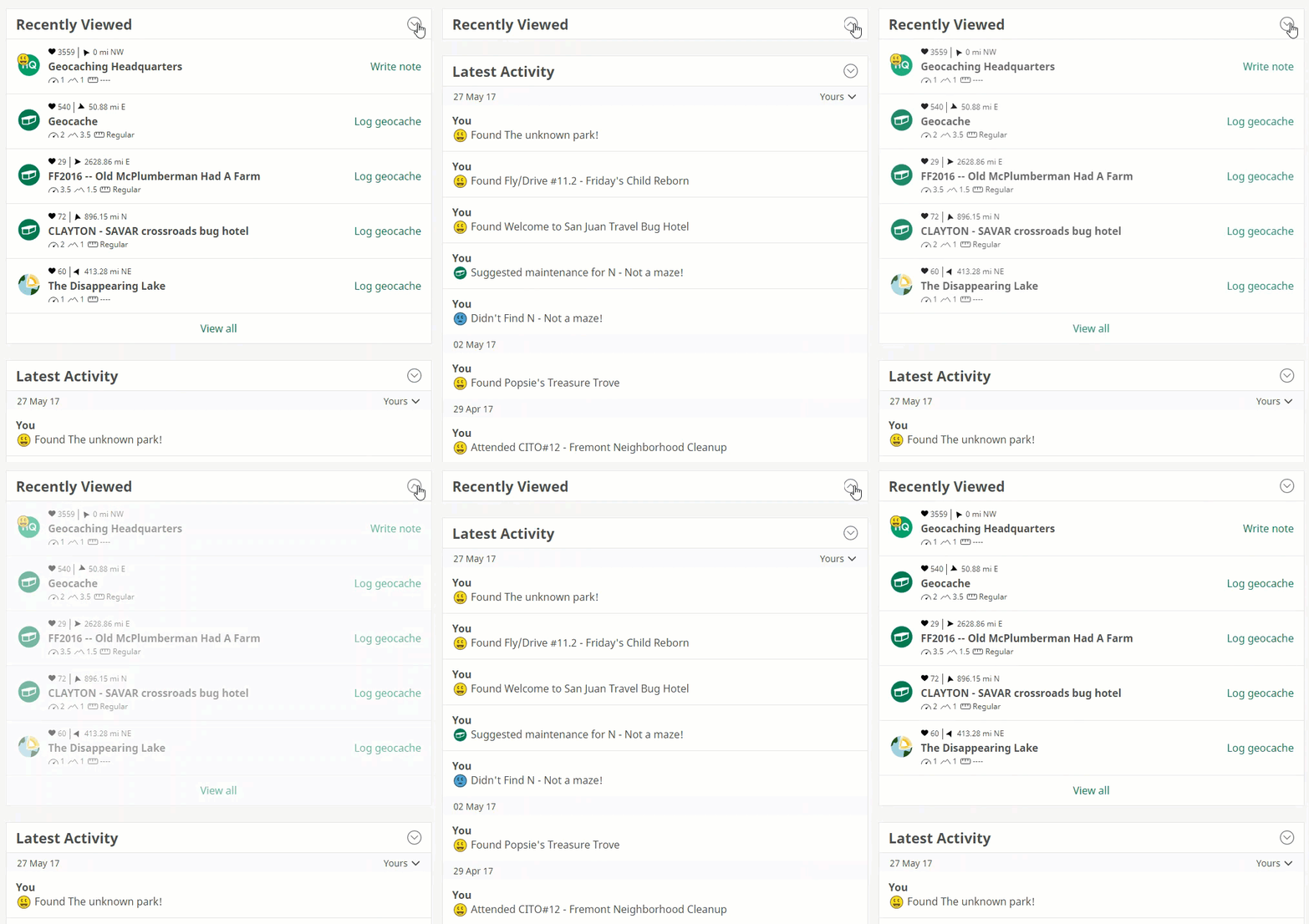
Focus on what’s important. Like onions, geocaching has many layers. If you want to get to the core of what is important to you, you can now ‘peel’ back what you don’t need to see by collapsing sections on the Dashboard. Or expand them for an overview of everything that is happening in your geocaching world.
And coming soon: The About tab on your public profile will return to its former position as the default tab. It’s a place to share something about yourself and what you love about geocaching. Add content in the Bio field of your profile settings or head on over to Project-GC to get a custom stats for your profile.
With these options, you can truly make the Profile and Dashboard your own.
But we are not done improving. We’re just getting started and we’ll continue to adjust the Profile and Dashboard based on your feedback. On top of this we are excited to add another feature soon, that will help you to become even more connected with your geocaching friends. Stay tuned!


I don’t see the toggles beside Recently Viewed or Recent Logs yet.
Try it now! 🙂
All good now! Thanks!
I’ve noticed the logs in the Latest Activity show the date the log was published, not the date of the log. For instance if I log a cache today that I found 3 days ago, it shows with a date of today. While it makes sense to show at the top since it’s new activity, the date is incorrect.
As a matter of sheer conceit I’d like a button that calculates the total number of favourite points all my caches have gathered!
Ever since I updated the program on my iPad, it returns to my home screen When I try to load the geocaching app.. What to do?
Its annoying when I post log late at night with geocaching app it says I found the cache tomorrow. How does that make sense. It would be nice if you could can enter the date to for example make your stats right.
Hi Lassi, what version of the Geocaching® app are you using? This issue was resolved in the app 5.4 release so try updating your app! If that doesn’t seem to resolve the issue, please write in to our Help Center so they can assist you through other troubleshooting techniques. Thank you!
Hi SRQboy, we’re sorry to hear this is happening to you! Unfortunately, something happened a few versions ago that seems to cause a small number of people to need to reinstall after the app updates. We *really* dislike having to tell people to do that and are working hard to locate and fix the problem. The challenge with this one is that so far we haven’t been able to reproduce the problem locally, nor have we seen any crash reports in our crash monitoring tool that seem to be relevant. When we finally track down the issue, we’ll be sure to update users in the Forums. Thanks!
I’m using version 5.4.1. Can it be that I use tablet or that I live in Europe?
Looks pretty interesting to me after getting update!