FAQ: Your New Geocaching Account Settings

Screen Shot 2014-10-13 at 10.37.40 AMHow do I access my Account Settings?

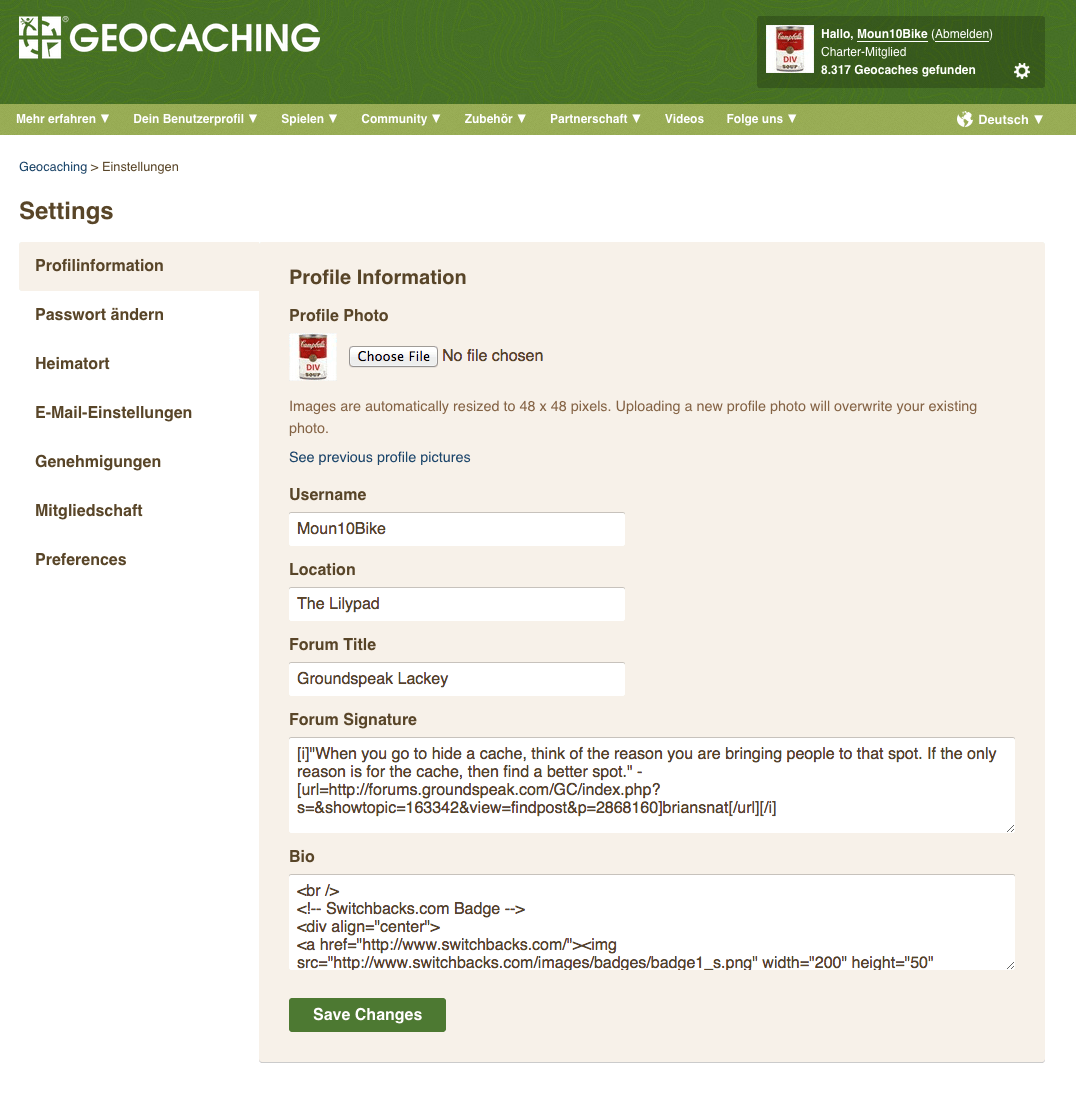
See that gear icon in the upper right corner? Click it! You will be magically transported to the new and improved Account Settings tabs page.

What happened to my avatar/profile photo?

To make life just a little bit simpler, we’ve combined the Avatar and Profile images into one image (to rule them all, ahem) that will display universally across Geocaching.com. In other words, your current Avatar image will become the one image displayed on Geocaching.com and will be referred to as “Profile Image.” Going forward, we will not store images other than the current Profile image. This means that when you upload a new image as your Profile photo, the previous image will no longer be saved on Geocaching.com.

Where did all my stored Profile/Avatar images go?

Profile/Avatar images stored prior to the Account Settings redesign will be available via the link next to your current Profile image. We suggest that you download these images from Geocaching.com as we may discontinue storing them in the future.

How can I display larger images on my Profile now that the Profile image only supports smaller sizes?

You can add larger images to your Bio box, located under the Profile Information tab. You will need to use HTML and use <img> tags. Example: <img src=”[Insert image URL]”>

Where should information like my name, address, and occupation go, now that it’s removed from the new Account Settings page?

To make Account Settings as easy to use as possible, we’re going for simplicity. You are still welcome to display your name, address, occupation, and whatever else you like on your Profile (as long as it’s appropriate of course!). You can do so in the Bio box.

Where can I customize my Geocaching.com experience to my location and language?

Under the Preferences tab, you can select your preferred language, time zone, and distance units. We’ve added many more time zones and date format options so you can localize your geocaching experience wherever you are in the world. Note: We removed the Daylight Savings Time checkbox, as the time zones now automatically account for this.

How can I edit my publicly displayed statistics?

Great question. You will now be able to edit statistics as they appear on your Public Profile directly from http://www.geocaching.com/my/statistics.aspx.

What happened to List Newest in [state]?

Our Account Settings page no longer supports this feature. We are working hard to improve other features on the website that will be able to serve up this information more efficiently. In the meantime, you can go to the Advanced Search page, select “By Country/Province”, and then select the country and province of interest to you. You can bookmark the results to have easy access to the same search. Link to Advanced Search: http://www.geocaching.com/seek/nearest.aspx

Why can’t I see my GPS listed anymore?

We have not updated the “Your GPS” section for quite some time. If you would like to see reviews about a GPS or smartphone, there are many other websites out there that specialize in providing this content.

How do I add friends on Geocaching.com?

You will still be able to add/remove/view friends from the “View Your Friends” link on http://www.geocaching.com/my/default.aspx and “Your Friends” located under “Quick View”

Can I update my Account information from my mobile device?

Shucks, we’re glad you asked. And the answer is: YES! The Account Settings tabs page was designed to look great in a mobile browser.

I don’t want to see other players’ profile images in geocache logs. How do I turn them off?

Under the Preferences tab, you will need to uncheck the box “Show other geocachers’ profile images in logs.”

Other noteworthy changes:

  • Basic members can now change their Forum title
  • Removed Online Presence and Instant Messenger
  • Removed Forum Signature and Profile previews
  • Removed ability to toggle off Recently Viewed Caches
View in German.


Deine neuen Kontoeinstellungen: Häufig gestellte Fragen.

Screen Shot 2014-10-13 at 10.40.29 AMWie finde ich meine Kontoeinstellungen?
Siehst Du das Zahnrad oben rechts in der Ecke? Wenn Du darauf klickst, kommst Du schnell und einfach zu den neuen Kontoeinstellungen.

Was ist mit meinem Avatar/Profilfoto passiert?

Um alles ein bisschen einfacher zu gestalten, haben wir die zwei verschiedenen Geocaching-Bilder (Avatar- und Profilfoto) auf ein Foto reduziert. Das jetzige Avatarfoto ist von nun an das einzige Profilfoto, das allgemein auf Deinem Geocaching.com-Konto benutzt wird. In Zukunft werden zuvor hochgeladene Fotos nicht mehr gespeichert. Das heißt, wenn Du ein neues Foto als Profilfoto speicherst, wird das alte Foto nicht gespeichert.

Wo sind meine zuvor gespeicherten Avatar/Profilfotos jetzt?

Avatar/Profilfotos, die vor der Neugestaltung gespeichert wurden, kann man jetzt über den Link unter dem aktuellen Profilfoto finden. Wir raten Dir, dass du diese Avatar/Profilfotos von Geocaching.com herunterlädst, da wir sie in Zukunft möglicherweise nicht mehr speichern werden.

Wie kann ich größere Fotos auf meinem Benutzerkonto zeigen, wenn das Profilbild nur kleine Fotos akzeptiert?

Du kannst größere Fotos in Deine Profil-Beschreibung einfügen. Deine Profil-Beschreibung findest du unter dem Profilinformation-Reiter. Verwende hier zum Einfügen der Fotos folgende HTML <img> Tags benutzen müssen, zum Beispiel: <img src=”[Bild URL einfügen]”>!

Wo sind Profildaten wie Name, Addresse, und Beruf gelistet, wenn nicht in den neuen Kontoeinstellungen?

Wir haben die neuen Kontoeinstellungen einfacher gestaltet und diese Profildaten sind nicht mehr enthalten. Wer mag, kann die Daten aber weiterhin in der Profil-Beschreibung angeben.

Wo kann ich meine Sprache oder meinen Heimatort auf Geocaching.com einstellen?

Unter Einstellungen kannst Du Deine bevorzugte Sprache, Zeitzone, und Einheiten wählen. Wir haben weitere Zeitzonen und Datumsformate hinzugefügt, damit Du Dein Geocaching-Erlebnis überall auf der Welt anpassen kannst.

Wie kann ich meine öffentlich angezeigte Statistik bearbeiten?

Die Statistik kann direkt vom öffentlichen Profil aus unter http://www.geocaching.com/my/statistics.aspx bearbeitet werden.

Was ist mit “Neuste in [Land] anzeigen” passiert?

Diese Feature gibt es nicht mehr auf der Kontoeinstellungen Seite. Wir sind dabei andere Funktionalitäten auf dieser Webseite zu entwickeln, damit wir diese Information einfacher anbieten können. Bis dahin kannst Du die “Erweiterte Suche” verwenden. Wähle den Geocache-Typ, “Staat/Land” und dann das Land und Staat/Bundesland/Kanton/Provinz, die Dich interessieren. Du kannst diese Suche als Lesezeichen speichern, um das nächste mal schneller an die Resultate zu gelangen. Link zur Erweiterten Suche: http://www.geocaching.com/seek/nearest.aspx

Wieso ist “Mein GPS-Gerät” nicht mehr gelistet?

Wir haben die GPS-Information seit längerer Zeit nicht mehr aktualisiert. Besprechungen für GPS-Geräte oder Smartphones kannst Du auf vielen anderen Webseiten finden.

Wie kann ich Freunde auf Geocaching.com hinzufügen?

Unter “Deine Freundliste anzeigen” auf http://www.geocaching.com/my/default.aspx und “Deine Freundliste” unter Überblick kannst du Freunde hinzufügen, entfernen oder anschauen.

Kann ich meine Kontoeinstellungen von einem Mobilgerät aus aktualisieren?

Gute Frage! Die neuen Kontoeinstellungen wurden so entwickelt, dass sie auch in mobilen Browsern gut funktionieren.

Ich möchte die Profilfotos von anderen Geocachern nicht in den Logs sehen. Wie kann ich diese Funktion abstellen?

Unter Einstellungen kannst Du die Funktion “Show other geocachers’ profile images in logs”, deaktivieren.

Andere nennenswerte Änderungen:

  • Basis-Mitglieder können jetzt ihren Forum-Titel bearbeiten.
  • “Online Presence” und “Instant Messenger” wurden entfernt.
  • “Forum Signature” und “Profile Previews” wurden entfernt.
  • Man kann “Recently Viewed Caches” nicht mehr ausschalten.

View in English.


The Santa Fe National Historic Trail GeoTour

sante fe trail 1

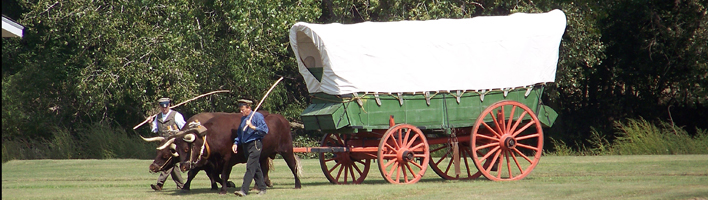
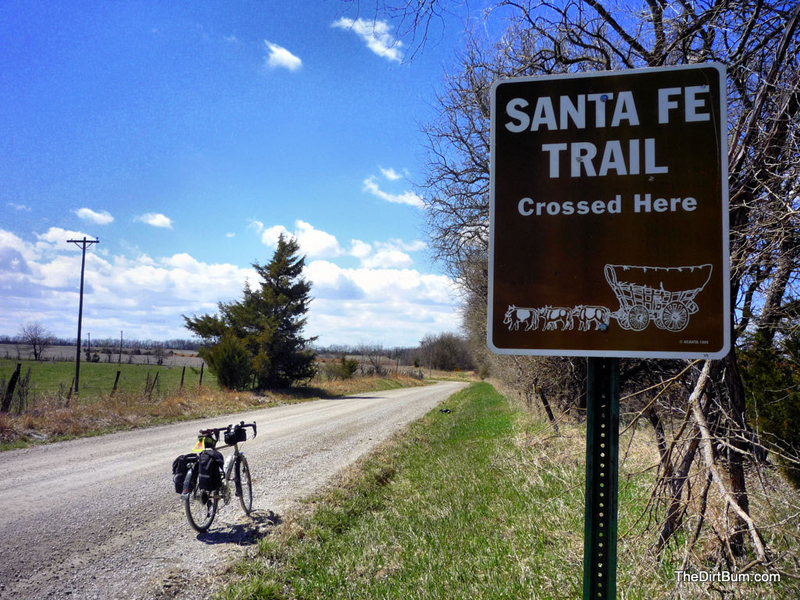
The Santa Fe National Historic Trail GeoTour provides adventurers with the opportunity to visit and learn about one of our nation’s most iconic trails. This GeoTour consists of 73 geocaches placed at historic sites along the 900 mile-long Santa Fe Trail. With each stop, you will have the opportunity to learn about the people, places and events associated with the trail that helped shape the future of the United States. You will get to experience much of thetrail just as the early travelers did.

Geocachers who visit at least 50 of the 73 sites are eligible to receive the Santa Fe National Historic Trail Challenge Coin. To participate, visit the website, and follow the instructions to print out and complete the passport.

The first geocacher to complete the Passport said, “…thank you for your hard work in putting this together and for taking us on such a fun and interesting tour of the Santa Fe Trail.. .”  Other log comments include:  “We had no idea all of this was here . . . certainly enjoying the series. They are all very nicely done with lots of neat swag and they have taken us to places we would not have gone otherwise!”

sante fe trail 2

Add a Little Geocaching Mega & Giga to Your August

MailerImage_08042014_MegaGigaEvents_vFINAL_blog

The Month of Mega-Events + 1st Giga-Event

Imagine walking through a crowd of passionate adventurers and hearing “Travel Bug,” “First to Find” and even a proud, “I love geocaching, a lot, I mean, a lot.” That place exists and August is high time to explore your Mega-Event destiny. A Mega-Event is one of the ultimate gatherings for geocachers. Mega-Events bring together 500 or more geocachers in one location to celebrate our desire for exploration and discovery.

Hey, look at this bookmark list. That’s a list of Mega-Events around the world. Take your pick. You’ll even notice a world’s first. Project MUNICH2014 is the world’s first Giga-Event, an event with more than 5,000 geocachers.

If you’re stateside in August, visit Geocaching HQ in Seattle for the Geocaching Block Party. You’ll meet the team behind Geocaching. From the designers on the website, to the community team to our app developers, we’ll all be at the Geocaching Block Party hoping to meet you.

Events like the Geocaching Block Party and Project MUNICH2014 take place on August 16 for a reason: it’s International Geocaching Day. Whether you’re attending one of the many events that day or just out geocaching on August 16, you will earn a special souvenir for your geocaching profile. And you can remember joining the global geocaching community in a day of caching with this new International Geocaching Day Geocoin. Now, stop reading, and starting planning your Mega-Event adventure!