2 Steps to Help Keep Your Travel Bug Traveling

2 Steps to Prep Your Travel Bug® for Its Journey

TB2.2

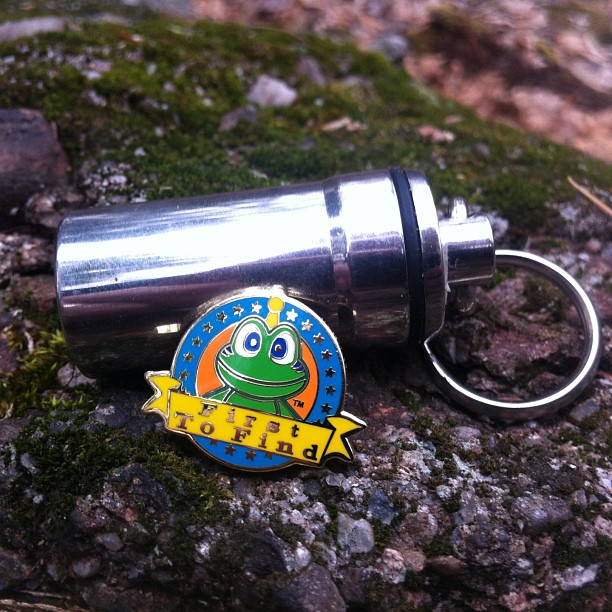
Everyone is doing the Travel Bug® 2-Step. Here’s how. It begins a bit like dropping your kid off at school for the first time. He may cry and stomp his feet, refuse to walk into the classroom, but in the end you know he’ll make it through just fine. Your Travel Bug is much the same. It might be difficult to part, but because you’ve taken the two key steps to ensuring his journey is successful you know you’ll see him again (online):

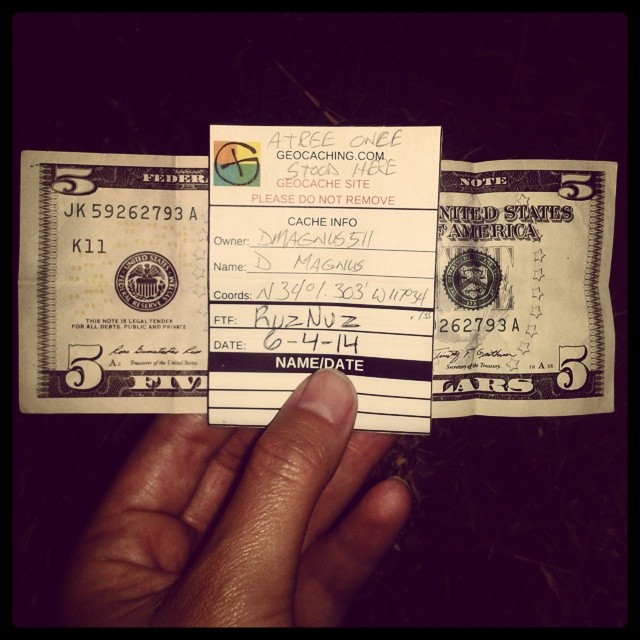
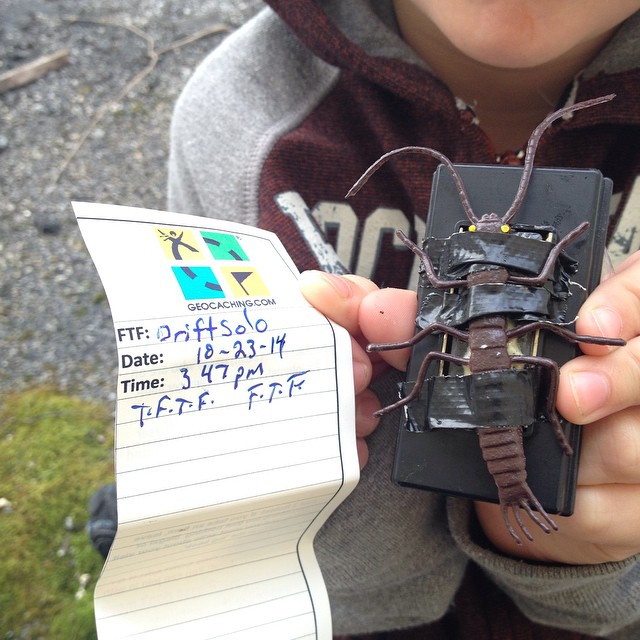
1. Seal the Travel Bug in a small plastic bag to prevent damage from moisture.

No matter how cute that little toy might once have been, if it’s icky now most people will take a pass. Nobody likes picking up a dirtied, smelly Travel Bug…queue the Ziploc. Some Travel Bugs are even sent off with provisions: sewing kits, an extra key chain, or superglue. You decide what goes in your Travel Bug’s luggage.

2. Include a note with a description of your Bug’s goal

Put yourself in the place of a first-time geocacher. You probably know slightly more about rocket science than about trackable etiquette. As a trackable owner, it’s difficult to fault a newbie for accidentally moving your Bug in the opposite direction it wants to go…but you can certainly prevent it! Make it clear that your Travel Bug wants to visit every country in Europe with a monarchy by writing this clearly on a note. Not only will this ensure that your TB isn’t accidentally brought to Fiji, it will also introduce new geocachers to the idea of Travel Bug goals, so they look out for them in the future.


Geocachers who do the Travel Bug Two-Step help create the beautiful global choreography that unfolds in this Travel Bug® Travels video.

[youtube=http://www.youtube.com/watch?v=2nJ_GHVY7aI]

Can’t get enough of Travel Bugs? Read more about how you can help keep others’ TBs on the road: 3 Travel Bug Travel Tips

Deine neuen Kontoeinstellungen: Häufig gestellte Fragen.

Screen Shot 2014-10-13 at 10.40.29 AMWie finde ich meine Kontoeinstellungen?

Siehst Du das Zahnrad oben rechts in der Ecke? Wenn Du darauf klickst, kommst Du schnell und einfach zu den neuen Kontoeinstellungen.

Was ist mit meinem Avatar/Profilfoto passiert?

Um alles ein bisschen einfacher zu gestalten, haben wir die zwei verschiedenen Geocaching-Bilder (Avatar- und Profilfoto) auf ein Foto reduziert. Das jetzige Avatarfoto ist von nun an das einzige Profilfoto, das allgemein auf Deinem Geocaching.com-Konto benutzt wird. In Zukunft werden zuvor hochgeladene Fotos nicht mehr gespeichert. Das heißt, wenn Du ein neues Foto als Profilfoto speicherst, wird das alte Foto nicht gespeichert.

Wo sind meine zuvor gespeicherten Avatar/Profilfotos jetzt?

Avatar/Profilfotos, die vor der Neugestaltung gespeichert wurden, kann man jetzt über den Link unter dem aktuellen Profilfoto finden. Wir raten Dir, dass du diese Avatar/Profilfotos von Geocaching.com herunterlädst, da wir sie in Zukunft möglicherweise nicht mehr speichern werden.

Wie kann ich größere Fotos auf meinem Benutzerkonto zeigen, wenn das Profilbild nur kleine Fotos akzeptiert?

Du kannst größere Fotos in Deine Profil-Beschreibung einfügen. Deine Profil-Beschreibung findest du unter dem Profilinformation-Reiter. Verwende hier zum Einfügen der Fotos folgende HTML <img> Tags benutzen müssen, zum Beispiel: <img src=”[Bild URL einfügen]”>!

Wo sind Profildaten wie Name, Addresse, und Beruf gelistet, wenn nicht in den neuen Kontoeinstellungen?

Wir haben die neuen Kontoeinstellungen einfacher gestaltet und diese Profildaten sind nicht mehr enthalten. Wer mag, kann die Daten aber weiterhin in der Profil-Beschreibung angeben.

Wo kann ich meine Sprache oder meinen Heimatort auf Geocaching.com einstellen?

Unter Einstellungen kannst Du Deine bevorzugte Sprache, Zeitzone, und Einheiten wählen. Wir haben weitere Zeitzonen und Datumsformate hinzugefügt, damit Du Dein Geocaching-Erlebnis überall auf der Welt anpassen kannst.

Wie kann ich meine öffentlich angezeigte Statistik bearbeiten?

Die Statistik kann direkt vom öffentlichen Profil aus unter http://www.geocaching.com/my/statistics.aspx bearbeitet werden.

Was ist mit “Neuste in [Land] anzeigen” passiert?

Diese Feature gibt es nicht mehr auf der Kontoeinstellungen Seite. Wir sind dabei andere Funktionalitäten auf dieser Webseite zu entwickeln, damit wir diese Information einfacher anbieten können. Bis dahin kannst Du die “Erweiterte Suche” verwenden. Wähle den Geocache-Typ, “Staat/Land” und dann das Land und Staat/Bundesland/Kanton/Provinz, die Dich interessieren. Du kannst diese Suche als Lesezeichen speichern, um das nächste mal schneller an die Resultate zu gelangen. Link zur Erweiterten Suche: http://www.geocaching.com/seek/nearest.aspx

Wieso ist “Mein GPS-Gerät” nicht mehr gelistet?

Wir haben die GPS-Information seit längerer Zeit nicht mehr aktualisiert. Besprechungen für GPS-Geräte oder Smartphones kannst Du auf vielen anderen Webseiten finden.

Wie kann ich Freunde auf Geocaching.com hinzufügen?

Unter “Deine Freundliste anzeigen” auf http://www.geocaching.com/my/default.aspx und “Deine Freundliste” unter Überblick kannst du Freunde hinzufügen, entfernen oder anschauen.

Kann ich meine Kontoeinstellungen von einem Mobilgerät aus aktualisieren?

Gute Frage! Die neuen Kontoeinstellungen wurden so entwickelt, dass sie auch in mobilen Browsern gut funktionieren.

Ich möchte die Profilfotos von anderen Geocachern nicht in den Logs sehen. Wie kann ich diese Funktion abstellen?

Unter Einstellungen kannst Du die Funktion “Show other geocachers’ profile images in logs”, deaktivieren.

Andere nennenswerte Änderungen:

  • Basis-Mitglieder können jetzt ihren Forum-Titel bearbeiten.
  • “Online Presence” und “Instant Messenger” wurden entfernt.
  • “Forum Signature” und “Profile Previews” wurden entfernt.
  • Man kann “Recently Viewed Caches” nicht mehr ausschalten.

View in English.


A Wagging Good Time: Tips for Geocaching with Pups

By Dani Navarre

Your favorite geocaching companions

Nothing is better than geocaching with your best friend and who could be better than man’s best friend? Geocaching isn’t just a hobby for humans—your four-legged friends can join in on the fun too.

Coming home to slobbery kisses and a wagging tail is enough to brighten anyone’s day. Your dog waits patiently for you to return home, he hears the hum of the car engine, and bounds down the stairs to greet you at the door. He does so much for you and deserves a little treat. You can add a little color to your favorite canine’s grey day by putting a leash on that enthusiasm and heading out for some geocaches. Sounds like a walk in the park that earns more than one kind of smiley. As someone who has trained with scent detecting dogs, I know exactly how rewarding working with animals can feel. One of the most enjoyable parts is having a goal that you and your furry friend can work toward together. Whether you are practicing obedience training or just want to get out for some fresh air, geocaching can be a fun way to get all the members of your family (human and canine) outside.

Stellar geo-sense
Stellar geo-sense

So here are HQ’s top tips for geocaching pups:


  • Socialize at your local dog park. While your dog is having the time of his life, you could be catching a few smilies. Dog parks are a popular places to hide geocaches, so next time you are out take a look.

  • Is your dog an adventurous pup or does he make sloths look hyperactive? Be sure to choose caches that match your dog’s fitness level. If your dog is a trailblazer he may enjoy longer hikes with more challenging terrain, but if your dog is a couch potato an easy urban stroll might be a better match.

  • Turn your dog into a geocache. Has science gone too far? Don’t worry your pooch is safe, but he can become a trackable puppy with a geo dog tag. Your pup will enjoy all of the pets and your human friends will love the new trackable.

  • Sensitive puppy paws. Be aware of the geocache’s terrain. The summer heat and cement or metal surfaces can be a dangerous combination for your dog’s sensitive paw pads.

  • Carry water. Make sure you and your dog are hydrated to keep those tongues wagging.

  • A safe pup is a happy pup. Check to see that your dog’s vaccinations are up to date for tick and mosquito protection. A hike through the woods can make for a fun day…until you come home with a car full of ticks and one sad puppy.

  • Collars aren’t just a fashion trend. Local leash laws vary by city. Before you set Rover free to roam, check to see if a leash is required.


Geocaching with your dog can be fun for whole family. What’s your favorite geocaching animal story?


and they're fun!
and they’re fun!


Top Tips for Puzzle Caches

By Dani Navarre


About to sing an "Ode to the Golgafrinchan Phone Workers"...GC32A0H
About to sing an “Ode to the Golgafrinchan Phone Workers”…GC32A0H


Do puzzle caches leave you scratching your head?

Does the thought of having to decode encrypted messages make you break out in hives? If no, then you might be a geocaching Puzzler in disguise. If yes, then take a deep breath and find your happy place because we have just the tips to sooth your puzzle anxiety.

Puzzle caches, Mystery caches, or Unknown caches are a type of geocache for those who enjoy an extra challenge.

They require geocachers to solve complicated puzzles in order to decode the correct cache coordinates or crack secret clues to unlock a cache’s stash. If you haven’t encountered this kind of cache before the prospect may seem daunting, but have no fear! Puzzle caches are fun way to spice up any geocaching adventure while flexing your beefy brain muscles.

These folks are just a puzzle away from 'Within Reach"...GC4B84C
These folks are just a puzzle away from ‘Within Reach”…GC4B84C

So don your trenchcoat and channel your inner Sherlock.

(‘Cause who wouldn’t want to be Benedict Cumberbatch?). Here are Geocaching HQ’s top tips for puzzle caches:

  • Practice Makes Perfect. Start easy by tackling puzzle caches that have a one or two star difficulty rating. The more puzzle caches you conquer over time the more tricks of trade you’ll pick up and the easier it’ll become.
  • Check what type of puzzle needs to be solved. There are different kinds of puzzle caches that call for different strategies, so before you head out check to see what the requirements entail. Some caches are in-the-field, meaning you have to use visual clues from the surrounding location to decipher the coordinates or unlock the cache. Other caches can be solved before you even step out the door! These ask you to solve a particular puzzle off of the geocache’s webpage or lookup information on the internet.
  • Gather the Mystery Gang. Two heads are better than one! Bring your geocaching pals along, not only is geocaching more fun when you have your buddies but they can help you brainstorm through those extra tricky questions.
  • Check for invisible ink. Sometimes cache owners will hide clues on a geocache’s webpage in white font. Highlight the page to reveal the secrets that were right in front of your nose the whole time. Bonus points if you caught this one! You’re a Puzzler already!
  • The source code isn’t just a movie. Cache owners may add comments with hints in the cache’s html source code. To find this open the source code on your browser’s menu selection and search for comments.
  • It’s all in the name. A hint to the cache’s location may be located in the cache’s or cache owner’s name or give you an idea of where the cache may be or what it may look like.
  • When in doubt use Google. Search engines may not have the answer to everything, but they have the answer for a lot of things. So if you’re truly stuck, look to the internet to give you a helping hand. Some cache pages may even include answer checkers to see if you guessed the correct coordinates.

Whether you want to step up your geocaching game or are trying to earn your Puzzler’s badge for 7 Souvenirs of August, puzzle caches are an excellent way to mix your geocaching routine. If you’re looking for a little cache-speration check out “Ode to the Golgafrinchan Phone Workers” (GC32A0H), an unique cache inspired by The Hitchhiker’s Guide to the Galaxy that requires you to listen carefully and dial in the right code. Close by is the geocache “Within Reach” (GC4B84C) which asks you to use visual clues to open a cache that also moonlights as a piece of functional art!

Do you love a good mystery? Tell us about your puzzling geocaching experiences or share your favorite puzzle tips! Be careful not to reveal any cache spoilers.


fdsfdsfdsfds


 Can you spot the mystery within this post?

The Santa Fe National Historic Trail GeoTour

sante fe trail 1

The Santa Fe National Historic Trail GeoTour provides adventurers with the opportunity to visit and learn about one of our nation’s most iconic trails. This GeoTour consists of 73 geocaches placed at historic sites along the 900 mile-long Santa Fe Trail. With each stop, you will have the opportunity to learn about the people, places and events associated with the trail that helped shape the future of the United States. You will get to experience much of thetrail just as the early travelers did.

Geocachers who visit at least 50 of the 73 sites are eligible to receive the Santa Fe National Historic Trail Challenge Coin. To participate, visit the website, and follow the instructions to print out and complete the passport.

The first geocacher to complete the Passport said, “…thank you for your hard work in putting this together and for taking us on such a fun and interesting tour of the Santa Fe Trail.. .”  Other log comments include:  “We had no idea all of this was here . . . certainly enjoying the series. They are all very nicely done with lots of neat swag and they have taken us to places we would not have gone otherwise!”

sante fe trail 2