
No service in outer space? No problem!

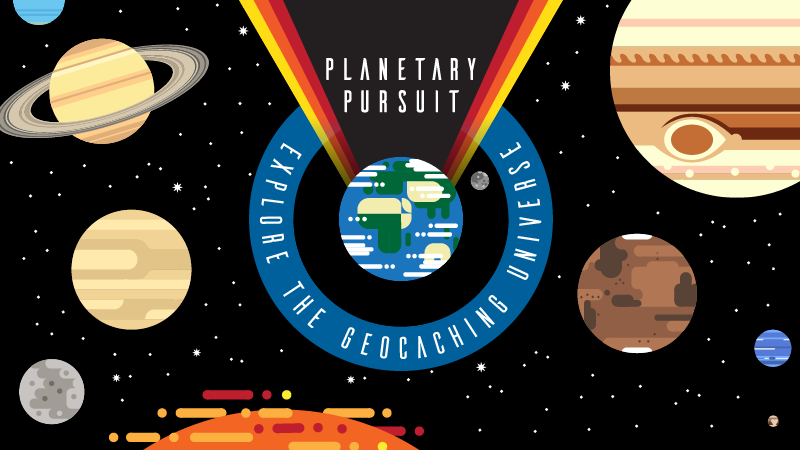
Planetary Pursuit has officially launched and your journey through the Solar System has begun! In an attempt to relieve any turbulence throughout your expedition, Ground Control will be offering useful tips for smooth space sailing.

Even though you may be roaming outer space, there’s no need to let your data roam while caching! Take your adventure offline to find caches anywhere the game takes you with Geocaching Premium. As a Premium member, you can save lists of geocaches for offline use so you’ll always be ready for the next adventure no matter where your cell service ends. Here’s how to download a list and access it offline in the Geocaching® app:

1. Go to the My Lists section of the Geocaching® app.
2. Tap the ellipsis (…) next to the list that you want to download.
3. Select Download Offline Data.

Offline maps are saved in the Trails map type. When you’re geocaching without an internet connection, switch to Trails to see your offline maps!

Start planning your out-of-this-world geocaching adventures and earning up to 10 new souvenirs! 
¿Sin servicio en el espacio? ¡Ningún problema!

¡La Búsqueda Planetaria ha lanzado oficialmente y tu viaje por el Sistema Solar ha empezado! En un intento de aliviar cualquier turbulencia a lo largo de su expedición, Ground Control le ofrecerá consejos útiles para navegar sin problemas en el espacio.

Aunque puedes estar deambulando por el espacio, no hay necesidad de usar tu itinerancia de datos mientras buscas cachés. Desconecta tu aventura para encontrar cachés dondequiera que te lleve el juego con Geocaching Premium. Como miembro Premium, puedes guardar listas de geocachés para su uso sin conexión, de modo que siempre estarás listo para la próxima aventura, sin importar dónde termina tu servicio celular. A continuación se muestra cómo descargar una lista y acceder a ella sin conexión en la app de Geocaching®:

  1. Vaya a la sección Listas de la app de Geocaching®.
  2. Puntee en la elipsis (…) junto a la lista que desea descargar.
  3. Seleccione Descargar datos sin conexión.

Los mapas para uso sin conexión se guardan en el tipo de mapa Caminos. Cuando estés geocaching sin conexión, cambia a Caminos para ver tus mapas sin conexión.

¡Empieza a planificar tus aventuras extraordinarias de geocaching y consiga hasta 10 nuevos souvenirs!

3, 2, 1, Planetary Pursuit Liftoff!

Attention all astronauts! Attention all astronauts! This is Ground Control giving you the green light for liftoff. All systems are go, you may proceed to launch!

The year is 2650. You are invited to join the Geocaching Explorers Club and be among the first geocachers to visit every planet in our solar system, earning souvenirs along the way. Find different geocache types to individually collect points on the Friend League between March 19 and April 15 and earn up to 10 new souvenirs to become an Official Space Explorer.

3, 2, 1 liftoff!

How to make the most of Planetary Pursuit

It’s Planetary Pursuit liftoff! Geocachers around the world will be leaving Earth on a majestic journey to every planet in the Solar System, geocaching and earning souvenirs now through April 15, 2018.

As we kick off this geocaching journey, we talked with four Geocaching HQ employees (and super cachers) to see how they plan to make the most of Planetary Pursuit. Read on to learn geocaching tips from the pros*.

*Psst, it involves something new!

Continue reading →

Pas de réception dans l’espace ? Aucun problème !

La Poursuite Planétaire a été lancée et votre aventure à travers le système solaire a commencé ! Pour vous soulager des turbulences durant votre expédition, le contrôle au sol vous offre des conseils utiles pour un voyage agréable à travers l’espace.

Même si vous parcourez l’espace, il n’est pas nécessaire d’utiliser un service de données en itinérance pour trouver des caches ! Amenez votre aventure hors ligne pour trouver des caches partout où le jeu vous emmène avec Geocaching Premium. En tant que membre Premium, vous pouvez télécharger des listes de géocaches pour les utiliser hors ligne. Ainsi, vous serez toujours prêt pour la prochaine aventure, quel que soit l’endroit où se termine votre service cellulaire. Voici comment télécharger une liste et l’accéder hors ligne dans l’application Geocaching®:

1. Accédez à la section Listes de l’application Geocaching®.
2. Appuyez sur l’ellipse (…) à côté de la liste que vous souhaitez télécharger.
3. Sélectionnez Télécharger les données hors ligne.

Les cartes hors ligne sont enregistrées sous le type de carte Trails. Lorsque vous cherchez des géocaches hors ligne, passez au type Trails pour voir vos cartes !

Planifiez vos aventures de géocaching hors de ce monde et obtenez jusqu’à 10 nouveaux souvenirs !