Häufig Gestellte Fragen: Nachrichten-Center Beta

MessageCenter_BETA_MailerAssets_vFINAL_Blog

Wir müssen es eingestehen: Auf Geocaching.com war es bisher nicht immer einfach, andere Geocacher zu kontaktieren. Wir haben Euer Feedback ernst genommen und das nagelneue Nachrichten-Center Beta entwickelt.

Mit dieser neuen Funktion kannst Du Nachrichten von Geocaching.com senden und empfangen.

Zum neuen Nachrichten-Center

Warum wird das Nachrichten-Center eingeführt?

Aus Erfahrung wissen wir, dass Geocaching zu einem intensiveren Erlebnis wird, wenn die Mitspieler untereinander kommunizieren. Deswegen wollten wir diesen Prozess vereinfachen. Unserer Meinung nach sollten die Herausforderungen nur beim Abenteuer “Geocaching” liegen, nicht aber in den Anwendungen, die man dafür verwendet. Worauf wartest Du also noch? Nutze die neue Funktion, um jemanden, der den Geocaches bereits gefunden hat, mit der Bitte nach einem Hinweis anzuschreiben. Oder verwende das Nachrichten-Center, um mit Deinen Geocaching-Kumpels die nächste Wochenendtour zu planen. Wir wissen natürlich, dass noch nicht alles bis ins Detail ausgereift ist, weswegen wir gern Rückmeldungen von Dir entgegen nehmen und im Laufe der Zeit weitere Verbesserungen vornehmen werden. Insofern freuen wir uns, wenn Du an der Umfrage teilnimmst und uns Deine Meinung zum Nachrichten-Center mitteilst.

Wo finde ich das Nachrichten-Center?

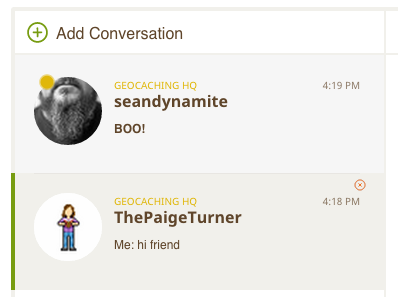
Du hast jederzeit Zugriff auf das Nachrichten-Center, indem Du das Brief-Symbol in der rechten oberen Ecke der Website anklickst.

Nachrichten

Wie verschicke ich eine neue Nachricht an einen Mitspieler?

Dafür gibt es eine coole Funktion, die den Namen automatisch vervollständigt: Tippe einfach einen Geocaching-Benutzernamen in das Suchfeld und wähle dann aus der Liste der vorgeschlagenen Benutzernamen aus. Jetzt kannst Du eine Nachricht schreiben!
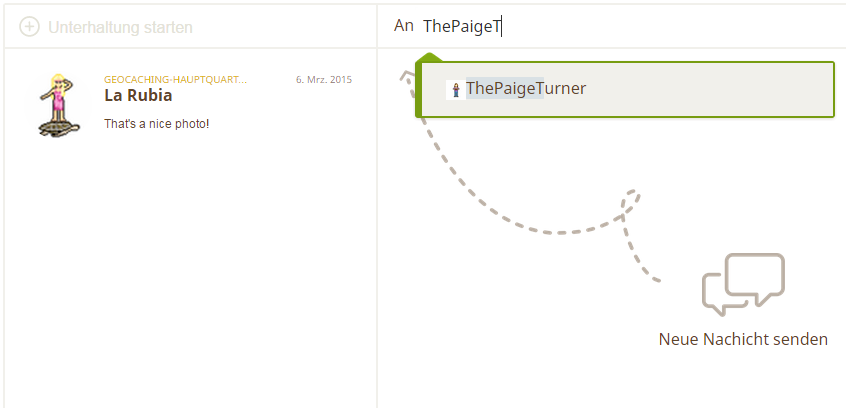
Neue Nachricht Senden

Ich möchte eine Nachricht löschen. Wie mache ich das?

Derzeit können Benutzer Nachrichten nicht permanent löschen. Allerdings kannst Du die Funktion “Nachrichtenverlauf verbergen” nutzen, die dazu führt, dass dieser solange verborgen wird, bis Du erneut eine Nachricht mit dem betreffenden Benutzer austauschst.
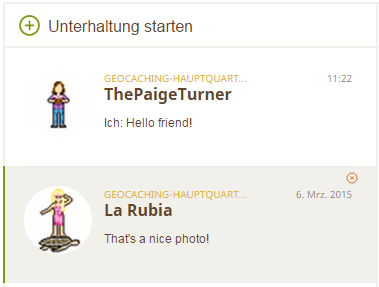
Hide conversation

Wie kann ich verhindern, dass mich bestimmte Mitspieler anschreiben?

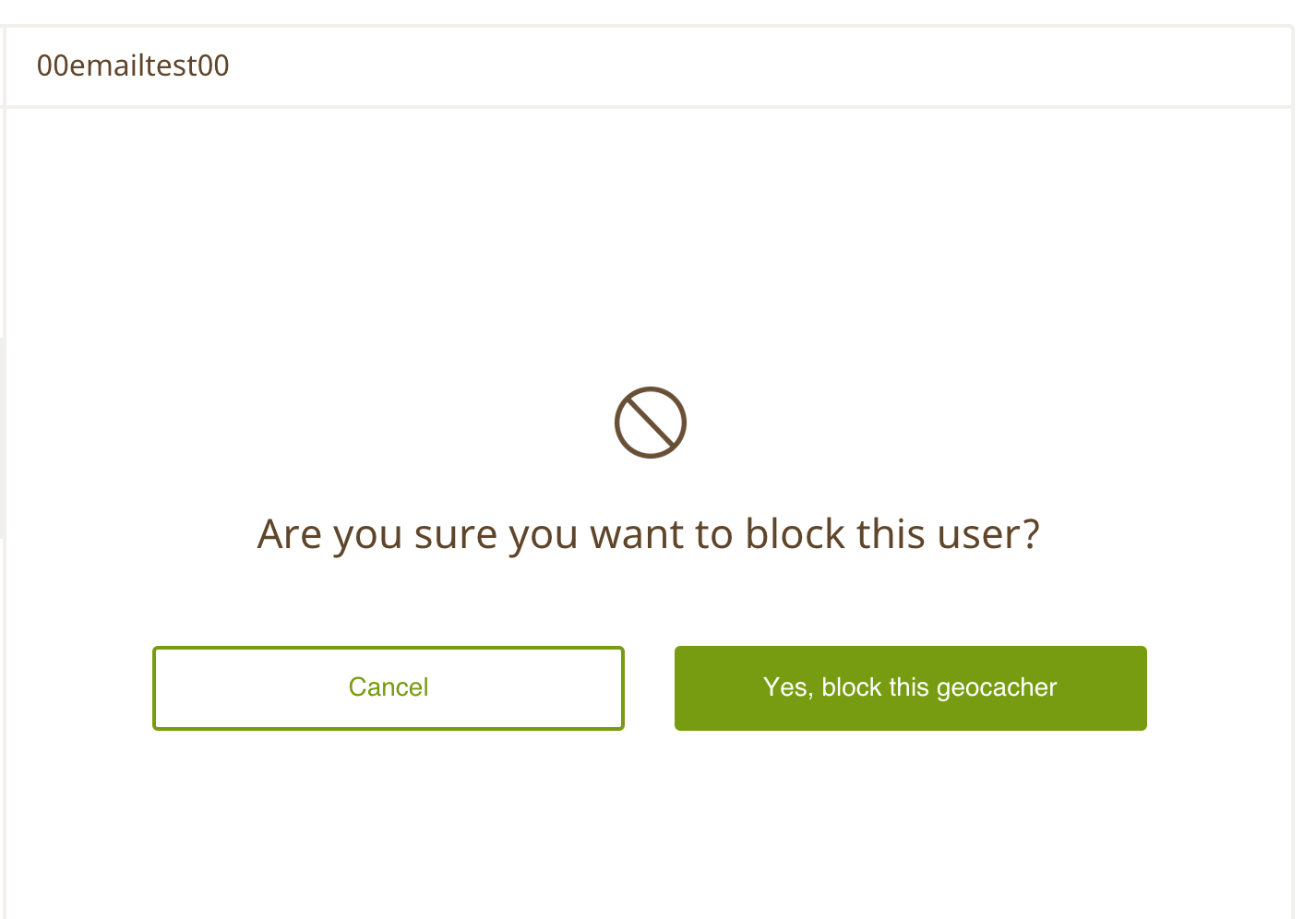
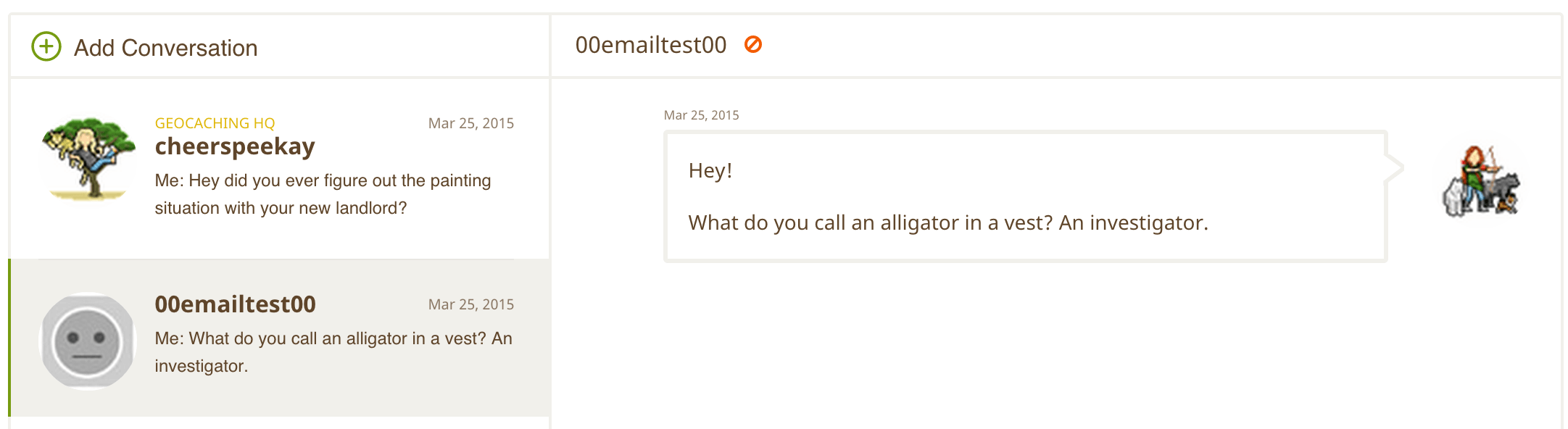
Beim neuen Nachrichten-Center hast Du die Möglichkeit, andere Mitspieler zu blocken. Das betreffende Geocacher bekommt davon übrigens nichts mit.
BlockMessageCenter

BlockMessageCenter2

Wird das Nachrichten-Center auch bei der Geocaching-Intro-App verfügbar sein?

Auf jeden Fall! Wir werden demnächst eine erste Version des Nachrichten-Centers bei der Geocaching-Intro-App für iPhone und Android verfügbar machen. Dadurch wirst Du auch von unterwegs schnell zu anderen Mitspielern Kontakt aufnehmen können.

Warum kann ich nicht gleich den Inhalt einer Nachricht sehen, sobald ich eine Benachrichtigung darüber per E-Mail erhalte?

Gute Frage: Es gibt eine technische Begrenzung dafür, wie eine Benachrichtigung ausgelöst wird. Du kannst auf diesen Punkt gern in der Umfrage zum Nachrichten-Center eingehen.

Bekomme ich nun auch alle aktuellen Meldungen hinsichtlich Fund-Logs und Sofortbenachrichtigungen über das Nachrichten-Center?

Nein! Nachrichten, die durch Aktionen im Spiel ausgelöst werden wie Fund-Logs oder Sofortbenachrichtigungen und Logeinträge zu Trackables werden weiterhin per E-Mail an die Adresse geschickt, die bei Deinem Geocaching-Benutzerkonto hinterlegt ist

Bedeutet das, dass das bisherige Kontaktformular zum Versenden von Nachrichten an andere Benutzer entfernt wird?

Nein! Diese Funktion wird für die absehbare Zukunft weiter bestehen bleiben und ist nach wie vor die sinnvollste Art, beispielsweise den regional für Dich zuständigen Community Volunteer Reviewer zu kontaktieren. Zugleich hoffen wir aber, dass Du auch der Meinung bist, dass das neue Nachrichten-Center eine effektive Methode ist, um sich mit anderen Geocachern auszutauschen!

FAQ: Your New Geocaching Message Center

MessageCenter_BETA_MailerAssets_vFINAL_Blog

We’ll be the first to admit it: contacting other geocachers hasn’t always been the easiest thing to do on Geocaching.com. We heard your feedback and that’s why we’ve created the brand new Message Center beta.

With this new feature, you can send and receive messages from Geocaching.com. It’s still in beta testing, which is why we’d love your feedback for the final release. After you send a few messages, fill out this survey and tell us what you think.

(Hier kannst Du den Artikel auf Deutsch lesen)

Why did you create the Message Center?

We know that geocaching is better when players communicate with each other so we wanted to make that easier. The challenge, after all, should be in the adventure and not in the tools you use. So what are you waiting for? Reach out to a geocache owner for a hint or plan a weekend outing with your best geocaching buddies! We’re considering this a beta product meaning we’re still in the process of taking feedback and improving. So be sure to tell us what you think by taking this survey.

Message Center beta on the Geocaching Intro app


Why is Message Center not available in the paid Geocaching app?

We’ve made the decision to direct our app development resources toward the Geocaching Intro app to create an introductory geocaching experience on mobile that can be unlocked into a full geocaching experience with Premium membership. This decision was made in response to the many requests from our players to include a full geocaching mobile experience with Premium membership.

Additionally, the Message Center is a social feature intended to be used by all geocachers. To ensure a great social experience, we believe it’s essential that this feature be accessible to all by providing it to basic members in the free app.

Can I hide conversations or block geocachers from Message Center in the app?

At this time, it is not possible to hide conversation or block geocachers from the Message Center in the app. You can do so from the Message Center beta on Geocaching.com. Please note that if you hide a conversation or block another player on the web, those messages will still appear in the mobile app. (Although you will not receive any further messages if another player has been blocked.)

Is this functionality important to you? Be sure to tell us what you think in this survey. And remember, the new Message Center for mobile is a beta product, meaning that it will continue to improve as we receive feedback from geocachers like you. So stay tuned as we add even more awesomeness to this new feature!

Message Center beta on Geocaching.com


How do I find the Message Center?

You can access the Message Center at any time by selecting the envelope icon in the upper right corner of Geocaching.com.

Screen Shot 2015-04-09 at 2.13.36 PM


How do I send a new message to another player?

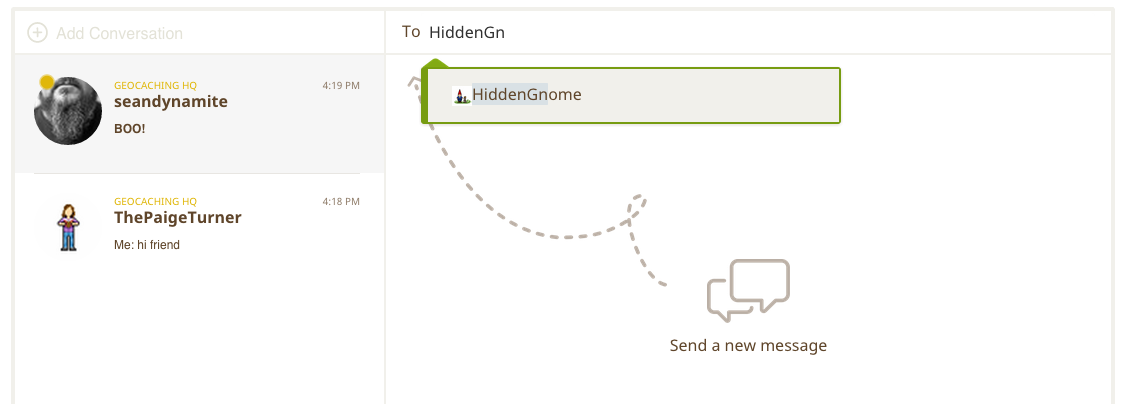
So this is pretty cool. Start typing a player’s username into the search bar. Select their name from the list of suggested usernames. Then send them a message!

SendNewMessagetoPlayer

I want to delete a message. How do I do that?

We do not currently allow players to permanently delete a message. You can, however, “Hide Conversation” which will cause the message thread to disappear until the next time you start a conversation with that player.

Screen Shot 2015-04-06 at 4.24.39 PM

How can I block another player from messaging me?

With the new Message Center, you have the option to block another player. The other player will not be able to see that you have blocked them. Hover over the player’s username, click the red circle with the line through it and follow the prompts to block the player.

BlockMessageCenter

BlockMessageCenter2

Will Message Center be available in the Geocaching Intro app?

Absolutely! We will be launching a beta version of Message Center in the Geocaching Intro app for both iPhone and Android in the near future. So yes! You’ll be able to talk with your fellow geocachers on the go.


Will I now receive updates about Found It logs and Instant Notifications through the Message Center?

No! Game-triggered emails like Found It logs, Instant Notifications, and Trackable logs will continue to be sent to the email address associated with your Geocaching account.

I want (or don’t want) to receive notifications about new messages to my email. How do I set this up?

You can turn on/off email notifications for new messages in your Account Settings. Just be sure the check in to the Message Center or mobile app from time to time to see if you’ve missed anything from your fellow geocachers.

Does this mean you’ll be taking away the old Send Email to User page?

Nope! This page will continue to exist for the foreseeable future and is the best way to contact your local Community Volunteer Reviewer. However, we hope that you’ll find the Message Center to be the best way to communicate with your fellow geocachers!

More questions? You’ll find answers in the Geocaching Help Center.

Puppies

It’s Time for Tick Talk


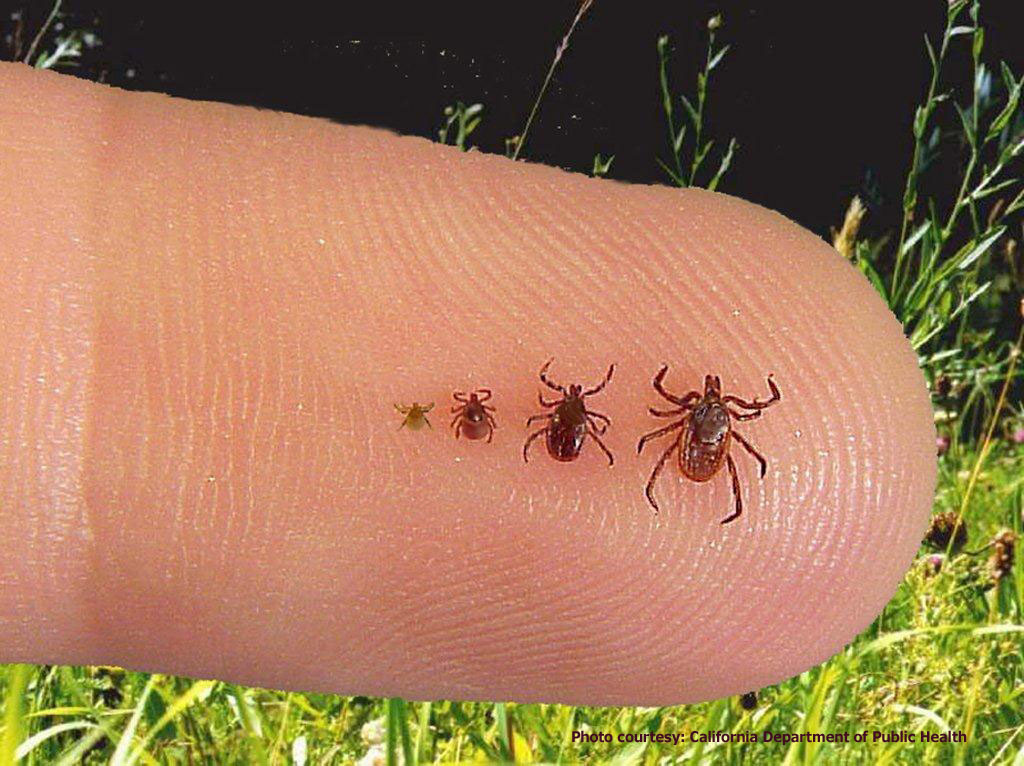
Yes indeed - this image of ticks is disgusting - Image (c) California Department of Public Health
Yes indeed – this image of ticks is disgusting – Image (c) California Department of Public Health

It’s time to get serious about staying safe in the outdoors this year. It’s time for Tick Talk.

Most ticks do not carry diseases, and most tick bites do not cause serious health problems. But it’s important to avoid, check for, and remove ticks as soon as you find them. Removing ticks may help you avoid complications such as Lyme disease. Avid geocacher (and dedicated nurse) Kelley Piekarek* put together these safety tips so all outdoor enthusiasts can keep themselves safe during tick season.


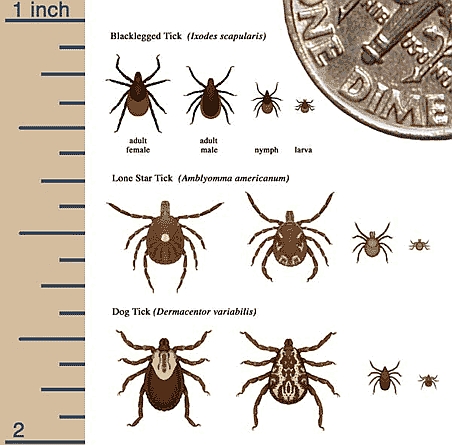
Different types and sizes of ticks
Different types and sizes of ticks – Image (c) eMedicineHealth.com

How to prevent ticks:

  • Cover as much of your body as possible in grassy or wooded areas by wear a long-sleeved shirt, long pants (with the legs tucked in to your socks), and a hat
  • Wear light-colored clothes – ticks are easier to spot on light colored clothing plus it’ll keep you cool
  • When you come in from the outdoors, check your entire body from head toe
  • When you come in from the outdoors, also check your entire pet from head to paw
  • Heat and sunshine can kill the ticks on clothing. Put your clothes in a hot dryer or lay them in direct sunlight for at least 15 minutes
  • Consider using insect repellents that contain DEET
  • Remember to check any gear (cameras, backpacks, dog collars) you were wearing for ticks, too!
Pants inside socks is actually quite fashionable
Pants inside socks is actually quite fashionable – Image (c) marisaincopenhagen.tumblr.com

GAH! I found a tick! How do I remove it?

  • Use fine-tipped tweezers or a tick key or  – do not handle the tick with bare hands
  • Grasp the tick as close to the skin’s surface as possible
  • Pull the tick straight away with even pressure
  • Do not grab the tick around its swollen belly or squeeze it – that could push infected fluid from the tick into your body
  • Do not twist the tick – this may break off the tick’s body and leave the head in your skin
  • After the tick has been removed, wash the area of the tick bite with lots of warm water, soap, and rubbing alcohol
  • Apply an over the counter antibiotic ointment on the bite
  • Dispose of the tick by flushing it down the toilet or placing it in a sealed bag or container
  • If you cannot remove a tick, call your doctor or veterinarian

Puppies

If you’ve been bitten by a tick and develop a rash, headache, joint pain, fever, or flu-like symptoms with a few weeks, you may have a tick-borne illness. A healthcare provider or veterinarian should evaluate you to determine the best course of treatment.

Stay safe out there my friends, and cache on! How do you stay safe while enjoying your favorite hobby?

This blog post was written with help from geocacher extraordinaire Kelley Piekarek. If her name sounds familiar, it may be from this story that made national geocaching news. 


Check out Geocaching.com’s new look!

We’re always striving to make better tools for the geocaching community. The addition of the new geocache search and Hide a Geocache page gave us an opportunity to think about how players navigate Geocaching.com. We found that most players who visit the website want to either learn about geocaching, play the game, gear up, or connect with the global geocaching community. The new navigation should help guide you to find exactly what you’re looking for  and leave the hunting around for when you’re in the field!

header-footer3.17

What’s new:

ss-settingsHow do I access My Profile?

Click on your geocaching username or your profile image. This will take you to My Profile where you can access Lists, Geocaches, Trackable Items, Souvenirs, and more. 

How do I access Account Settings?

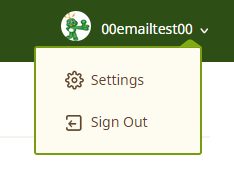
Look for the gear icon in the drop down under your username.

Where can I see my membership status?

You can see your membership status listed in Account Settings or My Profile.

Why is the font different on the website?

You have good eyes! In the name of consistency, we updated the font to be the same across Geocaching.com.

Oh no! My geocaching scripts aren’t working anymore. When will you fix these?

These scripts are made and maintained by members of the geocaching community, not by Geocaching HQ. Occasionally, updates like this will stop them from working. Usually, the geocachers who own and maintain the scripts are quick to fix them. Thanks for being patient!

How do I find…?

Sometimes less is more. These pages did not make it into the new navigation but you can still find them on our website here:


You hid your first geocache, now what?

You did it. You hid the coolest, most creative geocache and followed all the necessary guidelines… right? Well, the work is not over. As a geocache owner, you have a responsibility to maintain and manage your geocache after it is published. The hide itself is just the beginning of your ‘geocache owner’ journey.

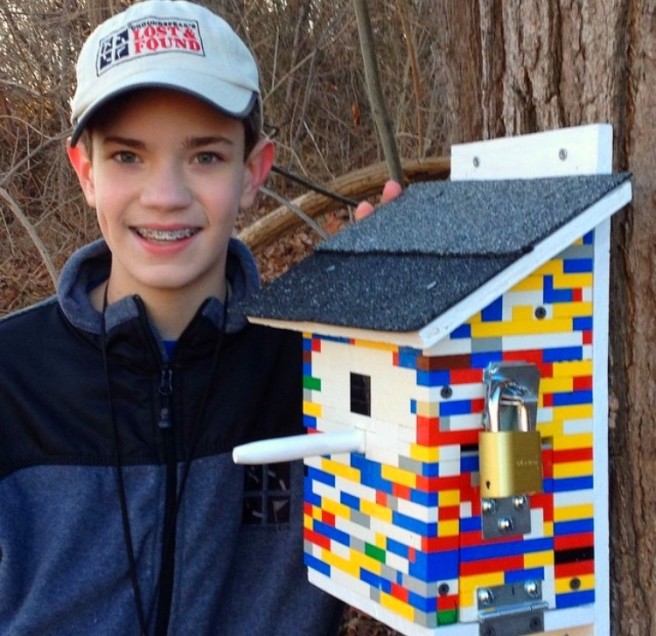
Note: The cache was screwed into a tree for this photo, but this was not a permanent placement.

Here are some helpful tips to keep in mind as a new geocache owner…

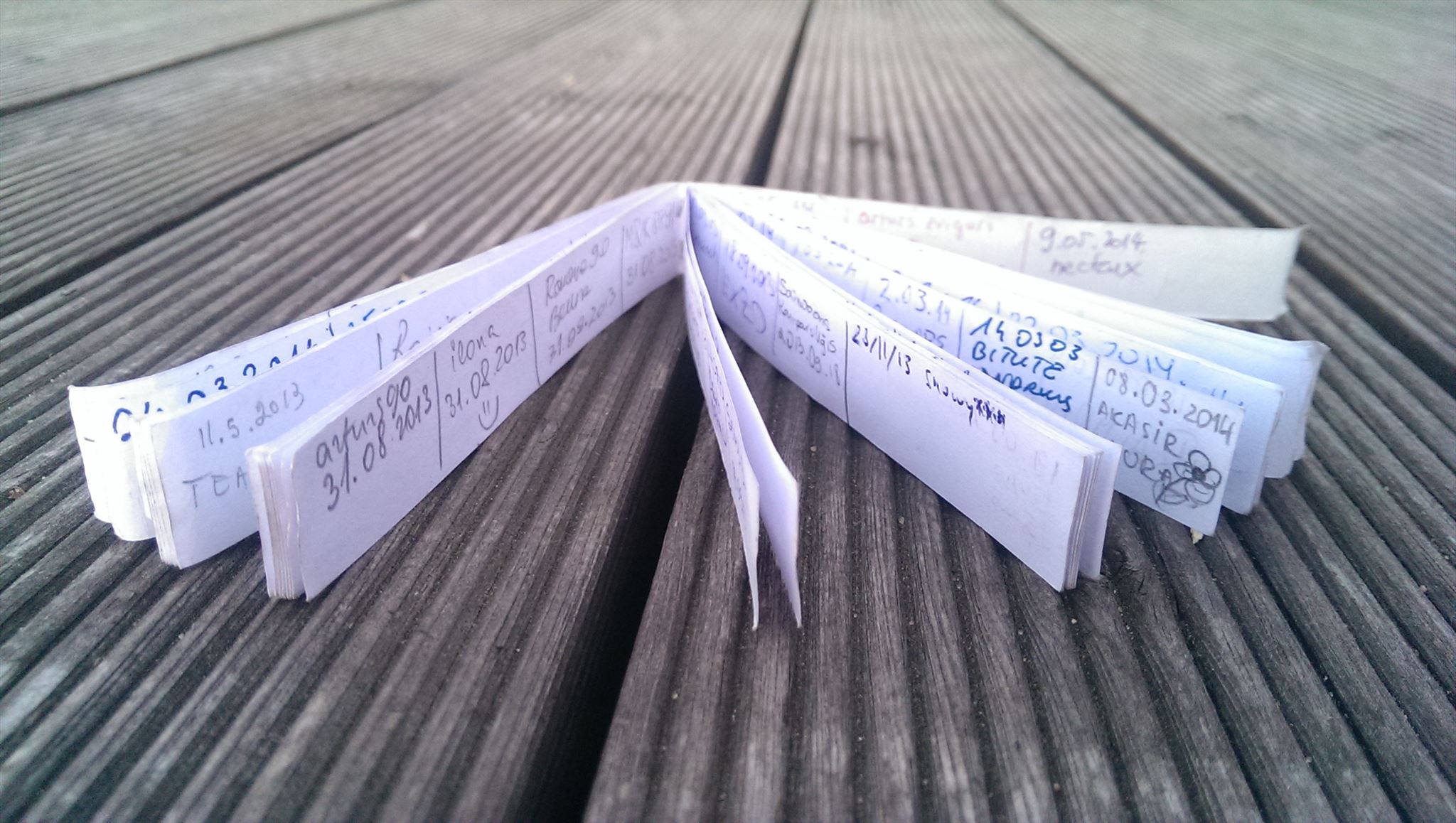
1. It’s your job to perform maintenance on your geocache. That includes replacing full or wet logbooks, fixing the container as needed, cleaning up trash around the geocache, editing text on the listing page, etc.

062128fd-3035-4381-b226-ae0b87e55ce0

2. If a trackable is listed online as being in your geocache but is not physically there, mark it missing.

3. If your coordinates are off or you need to move your geocache to a new location, update them.

4. The “Needs Maintenance” red wrench icon will show on your geocache listing if it has been reported by the community as needing maintenance. Geocachers see this icon as a sign that your geocache may not be in good condition and they may skip trying to find it. Once you have made repairs, post an “Owner Maintenance” log on your geocache page. This log removes the Needs Maintenance icon.

10356182_865270176828595_3749445679478148032_n

5. You can temporarily disable your geocache if needed. Do this if the geocache needs repairs, or if the area is closed for a period of time (construction, hunting, winter closures, etc.). This is meant to be temporary, which means a few weeks, or perhaps a couple of months.

6. Don’t log your own geocache. Save the smiley for use when you’ve truly discovered a hidden geocache.

7. Use your owner powers wisely. Logs that fail to meet stated requirements (such as ‘Found It’ logs by geocachers who have never found the geocache) or logs that conflict with our Terms of Use Agreement may be deleted. Read more about log deletion.

d2bf7a95-1465-43d1-8ab9-985e2ebb5115

8. Sometimes life happens and you can no longer maintain your geocache. You will want to archive the geocache listing, which will permanently remove it from the geocaching.com website, or adopt the geocache out to someone else. Remember to also remove the physical geocache container if you archive.

9. Lastly (and most importantly), have fun! One of the greatest perks to being a geocache owner is reading all the wonderful logs by other geocachers discovering your geocache.

maria