Continuez la chasse au trésor hors ligne


Nouvelle année, nouvelle fonctionnalité (indice : aucune connexion nécessaire).

Les meilleures aventures sont hors des sentiers battus et s’accompagnent rarement de connexion Internet. Donc ce n’est pas étonnant que Cartes en ligne soit la fonctionnalité la plus demandée dans l’appli Geocaching®.

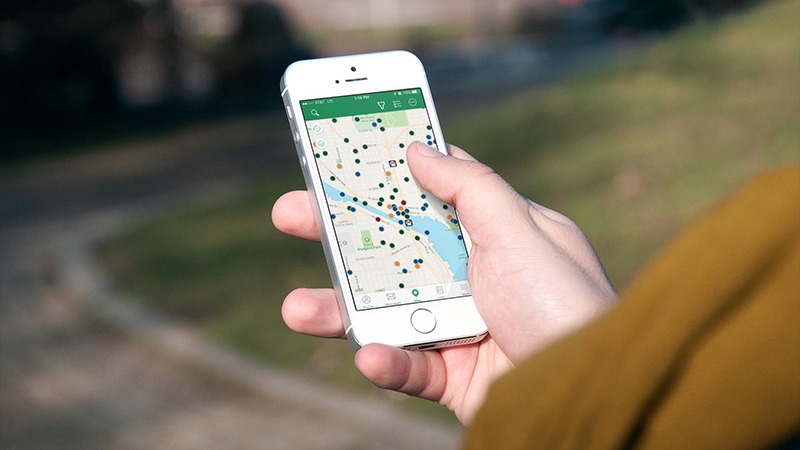
Nous sommes heureux d’annoncer que cette fonctionnalité est disponible pour les membres Premium ! Que vous soyez sur le point de prendre un nouveau souvenir d’un pays ou que vous soyez sur les parcours ce weekend, vous pouvez maintenant accéder aux géocaches sans connexion Internet. Voici comment cela fonctionne :

Étape 1 : Sélectionnez une liste de géocaches ou créez-en une nouvelle.*
Étape 2 : Sauvegardez la liste pour un usage hors ligne.
Étape 3 : Rendez-vous au fin fond de la nature !  Les cartes hors ligne seront là pour vous guider jusqu’à la prochaine géocache de votre liste.

Que vous soyez en train de vous préparer pour un hiver glacial à venir ou un été chaud, appropriez-vous ces astuces pour faire du géocache au fin fond de la nature :

Cartes hors ligne est une fonctionnalité Premium. Offrez-vous ou offrez à un ami Géocaching Premium.

En savoir plus.


*Astuce de pro : vous pouvez créer des listes dans l’appli mobile ou sur Geocaching.com.

De nouveaux outils pour votre prochaine randonnée dans les fins fonds de la nature !

Paré(e) pour une aventure au fin fond de la nature ?  Bonne nouvelle !  Notre dernière fonctionnalité, Cartes hors-ligne, dans l’appli Geocaching® complète un ensemble d’outils conçus pour rendre vos expéditions dans la nature meilleure que jamais auparavant.  Jetons un coup d’œil :

Cartes hors ligne.

Notre dernière fonctionnalité pour les membres Premium rend possible l’accès aux géocaches sans une connexion Internet.  Voici comment :

Étape 1 : Sélectionnez une liste de géocaches ou créez-en une nouvelle.*

Étape 2 : Sauvegardez la liste pour un usage hors ligne.

Étape 3 : Rendez-vous au fin fond de la nature !  Les cartes hors-ligne seront là pour vous guider jusqu’à la prochaine géocache de votre liste.

select-listsselect-elipsisselect-download-offline-data

Mes Listes bêta.

Nous avons amélioré les Listes de caches !  Avec Mes Listes bêta, vous pouvez facilement éditer, partager et organiser des listes de géocaches.  En savoir plus.

Les listes créées sur Geocaching.com apparaissent automatiquement dans l’appli Geocaching® et vice versa.  En sauvegardant les listes de géocaches dans l’appli mobile pour une utilisation hors-ligne, vous téléchargez aussi les cartes hors-ligne.

Cartes des sentiers.

Nous avons ajouté le type de carte des sentiers pour vous aider à trouver les géocaches difficiles d’accès et à trouver les caches dissimulées dans le parc du quartier.  Cette fonctionnalité utilise des cartes open-source pour montrer des parcours dans les villes, parcs et espaces sauvages.

Journaux en attente.

Nul besoin de s’inquiéter de perdre les traces de vos trouvailles !  Lorsque vous soumettez un journal depuis le terrain, il sera automatiquement téléchargé la prochaine fois que vous vous connectez à l’Internet.

Une fonctionnalité vous permettant de commencer un journal et de le finir ou de l’éditer plus tard est en cours de développement.

Géocaching hors ligne est une fonctionnalité pour les membres Premium.  Obtenez plus d’informations sur Géocaching Premium.

Planifiez-vous de vous rendre bientôt hors des sentiers battus ?  Avant cela, jetez un coup d’œil à ces astuces sur le géocaching dans la nature :

*Astuce de pro : vous pouvez créer des listes dans l’appli mobile ou sur Geocaching.com.

Parlez-nous de votre prochaine aventure dans la nature dans les commentaires ci-dessous.

New tools for your next trip into the great outdoors!

Ready for an adventure in the great outdoors? Good news! Our newest feature, offline maps in the Geocaching® app, completes a suite of tools designed to make your outdoor expeditions better than ever. Let’s take a look:

Offline maps.

Our newest feature for Premium members makes it possible to navigate to geocaches without an internet connection. Here’s how:

Step 1: Select a geocache list or create a new one.*

Step 2: Save the list for offline use.

Step 3: Get outdoors! Offline maps will be there to guide you to the next geocache on your list.

select-listsselect-elipsisselect-download-offline-data

The app will also prompt you to switch to the Trails map type when applicable.

My Lists beta.

We took Bookmark Lists and made them better! With My Lists beta, you can easily edit, share, and organize lists of geocaches. Learn more.

Lists created on Geocaching.com automatically appear in the Geocaching® app, and vice versa. By saving geocache lists in the mobile app for offline use, you also download offline maps.

Trail maps.

We added the Trails map type to help you find hard-to-reach geocaches and to find the caches hidden right in your neighborhood park. This feature uses open-source maps to show trails in cities, parks, and wild spaces.

Pending logs.

No need to worry about losing track of your finds! When you a submit a log from the field, the log will automatically upload the next time you connect to internet.

A feature enabling you to start a log and finish or edit it later is in the works.

Offline geocaching is a Premium member feature. Learn more about Geocaching Premium.

Planning to head off the beaten path soon? Before you do, check out these tips for geocaching outdoors:

* Pro tip: You can create lists in the mobile app or on Geocaching.com.

Tell us about your next outdoor adventure in the comments below.

Bring Deine Schatzsuche offline

Neues Jahr, neues Feature (Stichwort: Keine Internetverbindung nötig).

Die besten Abenteuer finden abseits der ausgetretenen Pfade statt und sind selten mit guter Netzverbindung gesegnet. Es ist also kein Wunder, dass eine der am häufigsten gewünschten Funktionen in der Geocaching®-App Offline-Karten sind.
Wir freuen uns, Dir das neuste Feature für Premium-Mitglieder vorstellen zu dürfen! Ob Du versuchst ein neues Ländersouvenir zu erhaschen oder eine Wanderung in der freien Natur planst, jetzt kannst Du auch ohne Internetverbindung zu Geocaches navigieren.

So funktioniert’s:

  1. Wähle eine Geocache-Liste aus oder erstelle eine neue.*
  2. Lade die Liste zur Offline-Nutzung herunter.
  3. Geh nach draußen – in die Natur! Mit Offline-Karten kannst Du nun auch ohne Empfang den nächsten Geocache auf Deiner Liste finden.

Ob Du Dich auf eine Geocaching-Tour in der Kälte oder Hitze vorbereitest,  schau Dir Tipps an, wie Du Geocaching in der freien Natur genießen kannst:

Offline-Karten sind eine Premium-Funktion. Gönne Dir oder einem Freund eine Premium-Mitgliedschaft.

Bist Du bereit, Berge zu erklimmen, Dich im Dickicht zu verlieren und dem Ruf der Natur zu folgen? Dann nutze Premium-Funktionen, wie die erweiterten Suche und Meine Lesezeichenlisten (beta) für Deine Planung.

Hier mehr dazu erfahren

* Profi-Tipp: Du kannst Listen in der Geocaching®-App oder auf Geocaching.com erstellen.


Geocaching Ammo Can

Ten tips for a tip-top geocache

http://www.playbuzz.com/geocachinghq10/ten-tips-for-a-tip-top-geocache-container

* Special thanks to Moun10Bike, CacheShadow, NCreviewer, onecrazycanadian, ThunderEggs, Skookum Bear, Graculus, GeoCrater, srebeelis, Cache-witch, BlueRajah, Keystone, Greatland Reviewer, inspicio, FitReviewer, LavaLizard, Xanthe Terra, RoadRunner, New York Admin, and Rock Rabbit for all their suggestions, advice, and input!